1
iDVR-PRO CMS Software : User’s Manual
3.
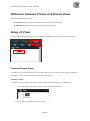
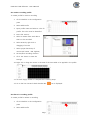
Input profile name and select a color for profile. The color must be identified.
4.
Now click ‘Alarm In’.
5.
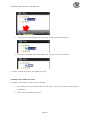
Select an Alarm device from the device list.
6.
Select a camera that you wish to set recording on.
7.
Set Pre/Post recording duration.
8.
Click the ‘Ok’ button.
9.
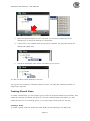
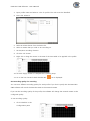
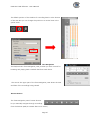
Right click or drag the mouse in the area of the time table to be applied in the profile.
10. Click the ‘Apply’ button to complete the recording setup.
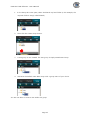
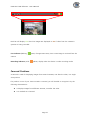
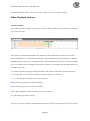
11. Go to the live view and check whether REC
icon is displayed.
Set Recording quality for recording.
You can set a different recording quality for each profile. If you don’t’ specify this the iDVR-PRO
CMS software will record the data the same as the network stream.
If you set the recording quality of the profile, the software will change the network stream to the
configured quality.
To set recording quality.
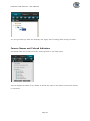
1.
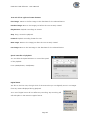
Click ‘Schedule’ in the
Configuration pane.
Page 38