1
3
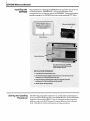
EEPROM Memory Module
you how to use the pocket programmer to store
Storing a Program in the The following steps show
of the processorRAM in the EEPROM memory
Memory Module (save) the contents
module. If you are using an access
code, it will be stored in the EEPROM.
We’ll assume that the memory module
is not plugged in.
1. Connect the programmer. Press MODE,6 , ENTER. Display will show
SurE ?
Note: You could press ENTERa second time, althoit isn’t necessary.
Error code E51 will appear; you can ignore the error
code and perform
step 2.
2. Disconnect power fromthe processor. Insert the memory module.
Restore power.
3. Press ENTER, ENTER. After
a brief time, the displaywill
momentarily showdonE. Any program previously stored in the
memory module will be erased.
4. You can now disconnect power and remove the memory module
(replace cover), or you can leave the module in place. The processor
operates from the
RAM only.
Caution: It is important to entermode 6 before installing the
memory module. Reason: If the processor were in the Run
mode
when you disconnect power, insert the memory module, and restore
power (step 2), your programcould beautomatically erasedand
replaced with the contents
of the memory module. Refer to auto-load
procedure on the following page.
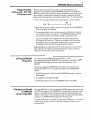
Loading the EEPROM into
the Processor RAM
The following steps show
you how to use the pocket programmer to load
(read) the contentsof the EEPROM memory module into the processor
RAM. If you know that the processor is in the Run
mode, you may be able
to use the auto-load procedure described on Page
4. If the processoris in
some other mode, follow these steps:
1. Disconnect power fromthe processor. Insert the memory module.
Restore power.
2. Connect the programmer. PressMODE, 7, ENTER, ENTER.(If a n
you will be requested to enter the
access code is stored in the EEPROM,
code after you press ENTER thesecond time.)
3. Duplication of the EEPROM contents in the
RAM occurs almost
instantaneously. The previous program in the
RAM is automatically
erased.
4. You can now disconnect power and remove the memory module
(replace cover), or you can leave the module in place. The processor
operates from theRAM only.