1
mxODBC - Python ODBC Database Interface
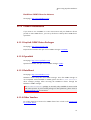
18.1.5 Mac OS X ODBC Driver Manager
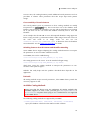
Open the Mac OS X ODBC Administrator. This can be found under
Applications/Utilities.
Go to the Tracing tab and select a trace output file under Log File and then click
the checkbox Enable Tracing to enable ODBC tracing output. Click on Apply have
the change take effect.
After that is done, start you application or script using mxODBC and run the code
that is causing problems with the driver in question.
After you've run the application or script, open the ODBC administrator again and
disable the Enable Tracing checkbox.
Finally, pick up the ODBC trace file from the location you've chosen and email it
to [email protected].
18.2 mxODBC Call Level Tracing
To simplify debugging the mxODBC package can generate debugging output in
several important places. The feature is only enabled if the mxODBC package was
compiled with debug support and output is only generated if Python is run in
debugging mode (use the Python interpreter flag -d):
python –d script.py
The resulting log file is named mxODBC.log. It will be created in the current
working directory; messages are always appended to the file so no trace is lost
until you explicitly erase the log file. If the log file can not be opened, the module
will use stderr for reporting.
To obtain a debugging version of mxODBC, please contact [email protected]
for help.
146