1
Web Page Tutorials
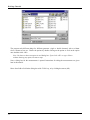
Note: When you want to try another macro, clear the screen by choosing the command "File/New" from
the main menu. Click the word "File" in the menu bar at the top of the screen with M1, and then the word
"New" with M1. Usually, you will answer "No" when the program sakes whether you want to save the
file or not.
Adding seam allowances
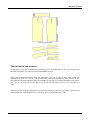
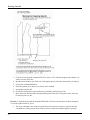
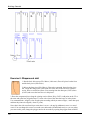
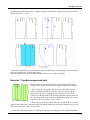
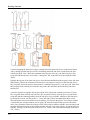
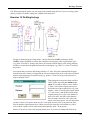
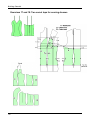
If you want to add seam allowances to the patterns, use the command Draw/Offset, from the Draw menu.
After choosing the command, select all the pieces one by one with M1 and accept the selection with M2.
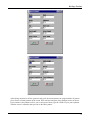
You can define the width of the seam allowance using the command Misc/Seam Width. Default width for
the seam allowance is 0,635 cm i.e. the width of the presser foot of the sewing machines.
Using the command Draw/Seam Allowance you can add a seam allowance of varying width to different
edges of the pattern. Please refer to the User’s manual to learn more about this.
Changing the pattern of the facings
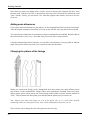
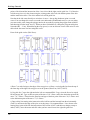
Maybe you want that the facings can be distinguished from other pattern parts using different pattern
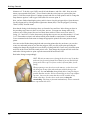
style in them. Use the command Edit/ Change/ Object. After choosing the command, select one or more
objects (pattern pieces) whose pattern you want to change with M1, then accept the selection with M2 or
<ESC>. Choose Pattern from the options given and after that the pattern style you want to use.
Note: Pattern styles other than empty use a lot of the printer ink, so it is worth while carefully
considering when to use other pattern styles. Your results will depend on the printer you use.
This is also the way to change the color of the patterns or the line styles.
80