1
Chapter 1
Processing INAS
to a specific academic career or program through the valid careers for aid year
and valid programs for aid year tables. Your institution can create additional
INAS rule sets. The INAS rule set refers to the INAS base rules delivered with
the Financial Aid system. Values are: CSS Rules/Values, Health Professional,
and Undergraduate/Graduate.
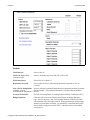
Global
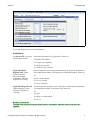
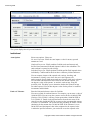
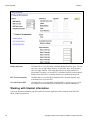
Use the Global group box to define the parameters that control general processing options related to
methodologies used.
INAS Data Source
Select the INAS data source for the INAS process to use to retrieve student
information. Select:
Both F/I (both federal and institutional) to use both sets of data to calculate
INAS for either Profile or ISIR records.
Federal to use only federal data to calculate INAS for ISIR records only.
Institutnl (institutional) to use only institutional data to calculate INAS for
PROFILE records only.
INAS Calc Type (INAS
calculation type)
Select the INAS calculation type:
FM (federal methodology) to calculate INAS for ISIR records only.
FM & IM (federal methodology and institutional methodology) to calculate
INAS for either PROFILE or ISIR records.
IM (institutional methodology) to calculate INAS for PROFILE records only.
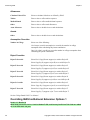
Federal
Use the Federal group box to define how INAS processes federal ISIR data.
Calc Fed Tax - Student
(calculate federal tax student)
Select to calculate and display federal tax for the student as defined by INAS.
Calc Fed Tax - Parent
(calculate federal tax parent)
Select to calculate and display federal tax for the parent as defined by INAS.
Calc PC For Independent
(calculate parental
contribution for independent)
Select to calculate a parental contribution for independent students if parental
data is available. Parental contribution is calculated but not added to the EFC.
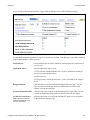
FM Budget Durations
Click this link to access the FM Budget Durations page, which shows academic
and non-standard durations for both dependent and independent students.
EFC Prorations Options
Click this link to access the EFC Proration Options page.
For more information, see the College Board INAS User Manual.
Institutional
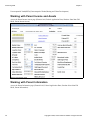
Use the Institutional group box to define how INAS computes your IM.
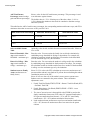
Use Which EFC
Select a value to determine the institutional EFC displayed on the Need
Summary page and used in the Award Entry component. Values are:
Copyright © 2009, Oracle and/or its affiliates. All rights reserved.
5