1
PR5651 Rev11 595 Engineers Ref Guide.qxd
21/02/2006
13:26
Page 2
GardTec 595 Engineer’s Reference Guide
1 INTRODUCTION
The GardTec 595 control panel uses 32 character LCD Remote Keypads for control of
the system via User Code(s) and programming of the system via an Engineer Code.
The Factory Default Codes are.
Note: 595 Control Panel an only be programmed using LCD KEYPAD.
Default Master User Code
Default Engineer Code
BS / EN2 5678
BS / EN2 1234
EN3 005678
EN3 001234
Note: For EN3 installations, User Codes and Engineer Codes MUST be six
digits in length.
The Engineer code may be ‘Locked’ into the system during engineer
programming. It should be noted that if the ‘Locked’ code is not known the only
way to have it returned to the factory default is to return the PCB to the factory.
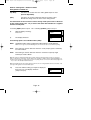
Option Formats. When an option cannot be changed the display will show a : rather
than the usual = sign. Pressing the No key is disregarded and the panel will react as
though the Yes key has been pressed (i.e. it will move onto the next option).
2 RESETTING FACTORY DEFAULTS
Several reset to factory default routines are available to the engineer at system powerup but it should be noted that none of these routines will ‘Un-Lock’ a ‘ Locked’
Engineer Code.
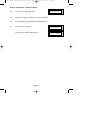
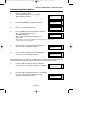
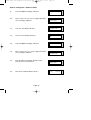
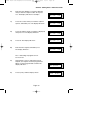
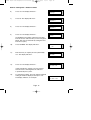
The following default routines are available.
a)
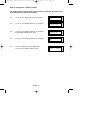
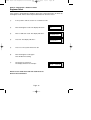
Pressing 1, 9, YES, NO during initial power up will revert the Master Code
and Engineer Code (not locked engineer code) back to factory defaults.
b)
Pressing 3, 7, YES, NO during initial power up will revert all system settings
back to defaults with the exception of the User Names and Zone Descriptors.
c)
Pressing 4, 6, YES, NO during initial power up will revert all system settings
back to factory defaults. It is ESSENTIAL that a 4 6 Yes No Reset is done
to all new systems before commencement of programming.
d)
Pressing 5, 5, YES, NO during initial power up will revert all system settings to
factory defaults and will also set the comms options up for GardTec Remote.
ie Modem On; No Return. For commissioning systems for use with
GardTec Remote, use this option.
Page 2