1
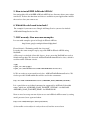
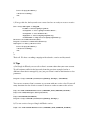
e) We create two more classes to create a single Campaign but this is the long way to
do this. You don't need to create classes of AdWordGeoTarget and
AdWordLanguageTarget. Just pass geoTargeting and languageTargeting info as
parameters to AdWordCampaign constructor and it will create this classes instead of
you. Let do both points c) and d) in a short way. So instead of 9, we can use just 2
lines of code.
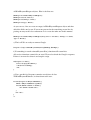
$arr = array('name' => 'campaign one', 'dailyBudget' => '2000000', 'geoTargeting' => array
('countries' => array('FR', 'GB')), 'languageTargeting' => array('en', 'fr'));
$newCamp = new AdWordCampaign($arr);
f) We are ready to connect Google to create the new Campaign.
$response = $campServ>addCampaign($newCamp);
if ($response === false) { //check for errors
$error = $obj>getLastError();
echo $error>toString();
exit;
}
//grab the ID of the new Campaign
$campID = $response>get('id');
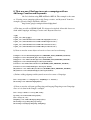
g) Now we have the ID of the new campaign. Lets add an AdGroup to it.
$newAdgrp = new AdWordAdGroup(array('campaignId' => $campID, 'maxCpc'=> '50000'));
$response = $adgrpServ>addAdGroup($campID, $newAdgrp );
if ($response === false) { //check for errors
$error = $obj>getLastError();
echo $error>toString();
exit;
}
//grab the ID of the new AdGroup
$adgrpID = $response>get('id');
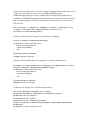
h) We have an adgroup, let's add some keywords to it
$arr =array('adGroupId' => $adgrpID, 'type' => 'Broad');
$newKeyW1 = $newKeyW2 = $newKeyW3 = new AdWordKeyword($arr);
$newKeyW1>set('text', 'springers');
$newKeyW2>set('text', 'spaniels');
$newKeyW3>set('text', 'english springer spaniel');
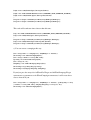
$response = $keywrdServ>addKeywordList($adgrpID , array($newKeyW1, $newKeyW2,
$newKeyW3));
if ($response === false) { //check for errors