1
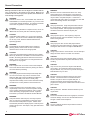
General Precautions
Warnings and Cautions alert users to dangerous conditions that can
occur if instructions in the manual are not obeyed. Warnings are
conditions that can cause injury to the operator, while Cautions can
cause damage to the equipment.
WARNING:
Federal law in the U.S.A., and Canadian law, restricts the
sale distribution, or use of this product to, by, or on the order
of a licensed medical practitioner. This product should be
used under the guidance of a medical physicist.
CAUTION:
To minimize the potential for computer issues, do not run
IMSure QA concurrently with other software programs.
CAUTION:
Install IMSure QA software only on approved Operating
Systems. The current version of IMSure QA is designed
for use only on NT, Windows 2000 and Windows XP
Operating Systems.
WARNING:
Should IMSure QA results differ from the treatment
planning results, further review of each is needed to
determine which results are most appropriate.
CAUTION:
Active plans are deleted when Preferences are modified.
When any Preference is modified in the User Preferences
Module, all existing plan data is cleared out and reset to
default. Users are cautioned not to change Preferences
when plans are in progress.
WARNING:
Enter complete and correct data. Ensure that complete
and correct data has been entered by viewing the data on
the screen before proceeding.
WARNING:
Poor quality Imported Fluence Maps and/or Maps with
an incorrect resolution may reduce correlation of the
Difference Map and increase the Maximum Difference.
It is the responsibility of the user to visually verify
Imported Fluence Maps, and to ensure that Fluence Map
resolutions are correctly defined in User Preferences.
WARNING:
Conduct Acceptance and routine QA Testing. It is the
responsibility of the user to conduct Acceptance Testing
on the machine specified for treatment, and to conduct
routine QA Testing at appropriate intervals. Algorithm
information is provided in this IMSure QA User Manual.
WARNING:
Verify file selection before import, and verify imported
data. It is the user’s responsibility to select the correct
Plan and Fluence Map Files for import. Patient name
and selected plan data is displayed prior to Plan import to
assist in this process. After import, verify plan data before
proceeding.
WARNING:
Machines must be commissioned before use. Verify
physics data prior to commissioning. Only machines
commissioned prior to the initiation of a treatment plan
may be used to complete that plan. If a machine is
recommissioned while a plan is in progress, the new data
will be used starting with the next new plan.
WARNING:
Verify all printed data. Verify that printed data matches
the screen display. All pages need to be accounted for
and correctly collated. Correct paper size and printer
conditions need to be verified for all print jobs.
WARNING:
Verify exported reports. After exporting a report for
electronic storage, users are advised to verify the file
before closing the plan.
WARNING:
Verify all physics data. Ensure that physics data is
complete and correct after entering or importing data by
viewing the data screens in the Physics Data Module.
CAUTION:
Assign unique names to each machine. Do not attempt to
assign the same name to more than one machine.
CAUTION:
Verify precision levels when importing tables. Precision
levels on imported tables may affect calculations, due to
rounding.
CAUTION:
Only one user may access the Physics Data Module
concurrently. On networked machines with a shared
Physics Data file, only one user may access the Physics
Data Module at any one time.
CAUTION:
Machine changes are effective when the next plan is
initiated. The machine that is commissioned at the
initiation of a plan is used to complete that plan. If
machine parameters are changed while a plan is in
progress, the change does not take effect until the current
plan is closed.
CAUTION:
Back up data files. Data files should be backed up on a
regular basis.
CAUTION:
Protect the CD-ROM surface from fingerprints, scratches
and other damage. Do not store the CD-ROM in direct
sunlight or warm and humid places.
WARNING:
The use of IMSure QA does not preclude the need for
routine machine QA.