1
3.3
Specifying options and defaults
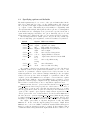
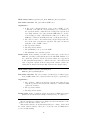
The final arguments may be one or more of the option identifiers listed in the
table below, which take precedence over the default settings. All options can
also be specified on the right of equations with the identifier “output” on the left,
e.g. “output = basis”. This facility if provided mainly for compatibility with
other systems such as Maple, although it also allows options to be distinguished
from variables in case of ambiguity. Some options can be specified on the left of
equations that assign special values to the option. Currently, only “trode” and
its synonyms can be assigned the value 1 to give an increased level of tracing.
The following switches set default options – they are all off by default. Options set locally using option arguments override the defaults set by switches.
Switch
odesolve
odesolve
odesolve
odesolve
explicit
expand
full
implicit
odesolve noint
odesolve verbose
odesolve basis
trode
odesolve fast
odesolve check
Option
explicit
expand
full
implicit
algint
noint
verbose
basis
trode
trace
tracing
fast
check
Effect on solution
fully explicit
expand roots of unity
fully explicit and expanded
implicit instead of parametric
turn on algint
turn off selected integrations
display ODE and conditions
output basis solution for linear ODE
turn on algorithm tracing
turn off heuristics
turn on solution checking
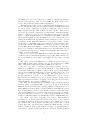
An “explicit” solution is an equation with y isolated on the left whereas
an “implicit” solution is an equation that determines y as one or more of its
solutions. A “parametric” solution expresses both x and y in terms of some
additional parameter. Some solution techniques naturally produce an explicit
solution, but some produce either an implicit or a parametric solution. The
“explicit” option causes ODESolve 1+ to attempt to convert solutions to explicit
form, whereas the “implicit” option causes ODESolve 1+ to attempt to convert
parametric solutions (only) to implicit form (by eliminating the parameter).
These solution conversions may be slow or may fail in complicated cases.
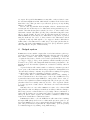
ODESolve 1+ introduces two operators used in solutions: root of unity and
plus or minus, the latter being a special case of the former, i.e. a second root
of unity. These operators carry a tag that associates the same root of unity
when it appears in more than one place in a solution (cf. the standard root of
operator). The “expand” option expands a single solution expressed in terms
of these operators into a set of solutions that do not involve them. ODESolve 1+
also introduces two operators expand roots of unity [which should perhaps
be named expand root of unity] and expand plus or minus, that are used
internally to perform the expansion described above, and can be used explicitly.
The “algint” option turns on “algebraic integration” locally only within
ODESolve 1+. It also loads the algint package if necessary. Algint allows
ODESolve 1+ to solve some ODEs for which the standard Reduce integrator
hangs (i.e. takes an extremely long time to return). If the resulting solution
contains unevaluated integrals then the algint switch should be turned on out6