1
Chapter 4: Package Management
Patch Module 2.5 Primary Developers
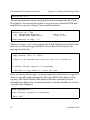
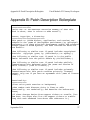
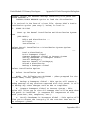
our example, Vivian Verity is indeed a verifier (handy, that), so we enter V
at the prompt.
VERIFIER'S DOMAIN: OSEHRA.ORG
Select SUPPORT PERSONNEL:
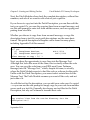
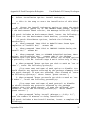
The next prompt asks for the verifier’s mail domain for sending patch
messages. The domain needs to be a standard email domain, such as
va.gov, ihs.gov, or osehra.org. Patch messages can then be sent from our
development environment (because we’re not developing in a production
environment, right?) to Vivian Verity’s verification environment, provided
that Mailman has been configured in Vivian’s environment, and that
Vivian’s name appears in the NEW PERSON file in her environment,
exactly the same as it does in our environment.
Once we put in Vivian’s domain, we again see the “Select Support
Personnel” prompt; we could add additional support people if we needed
to.
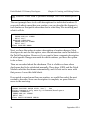
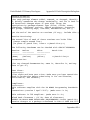
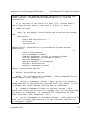
Select DEVELOPMENT PERSONNEL:
The last prompt allows us to designate developers. As with support
personnel, we can add as many as we want, as long as they already exist in
the NEW PERSON file.
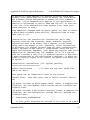
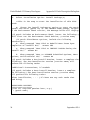
Enter/Edit Authorized Users
This function permits authorized developers of a package to add
development personnel, support personnel, and verifiers. The following
three keys are automatically allocated to the user when entered as a
developer, support person or verifier: A1AE DEVELOPER, A1AE
SUPPORT, and A1AE PHVER. These keys may be manually
allocated/deallocated using the Key Allocation for Patch Functions option.
For authorized developers to receive the Developer Menu, they must be
given the A1AE DEVELOPER key; for verifiers to receive the Verifier
September 2014
23