1
MAudio PC program user manual V1.0.
3.
General information
3.1.
Starting the program:
To start the program click twice on the MAudio icon on the TABLE, or the MAudio line
within START menu/PROGRAMS.
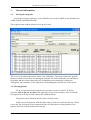
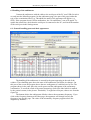
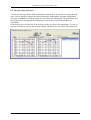
The program starts with the picture below on the screen.
The screen is divided to three parts: menu, card, audiometry. The menu contains the general
functions which are necessary for running the program, the card contains the personal data of
the patient and the results connected to the examinations, the audiometry contains the
audiograms, the parameters of the audiometer, the handling parts and the list of the reports.
3.2. Selecting patient
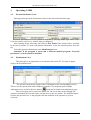
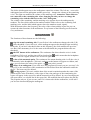
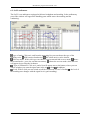
To do any operation in the program, first you have to select a patient. To do the
selection, click to the list of name in the right upper corner of the window. After it from the
list appear below the list of name click to the searched patient.
The patient can be found by the first letter of his/her name.
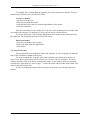
If there are several patients with the same name, you have to select the first one. In this
case a new list will appear which contains the date of birth and the security number of the
patient. Select the searched patient from the list.
6
MAudioMK100EN