1
152
Additional Information
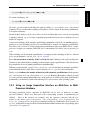
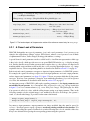
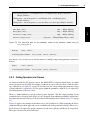
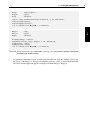
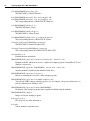
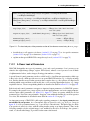
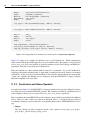
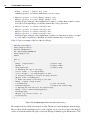
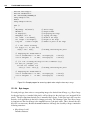
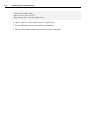
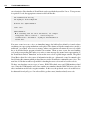
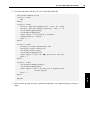
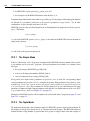
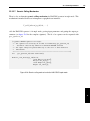
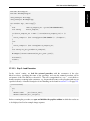
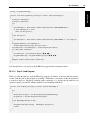
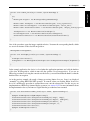
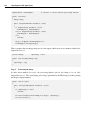
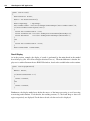
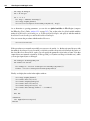
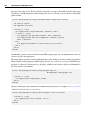
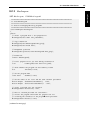
<configuration>
<dllmap dll="halcon"
target="/opt/halcon/lib/x86-linux2.4-gcc33/libhalcon.so"/>
</configuration>
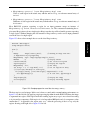
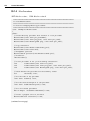
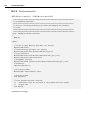
Figure 17.9: Example for a configuration file with HALCON being installed in the directory /opt/halcon.
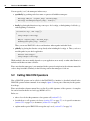
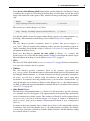
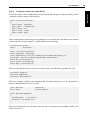
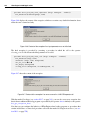
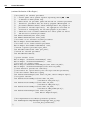
HALCON XL applications: To create a HALCON/.NET XL application, type
gmake XL=1
In some cases, Mono may not find the native HALCON library libhalcon.so, which should be resolved via the environment variable LD_LIBRARY_PATH and issue a corresponding error. You can create
configuration files for the HALCON/.NET (and HDevEngine/.NET) assembly, which explicitly specify
the path to the HALCON library (see figure 17.9 for an example), by calling
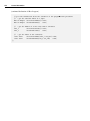
gmake config
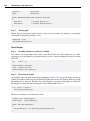
If you want to create a configuration file for only one of the assemblies, use the make commands
config_halcon and config_engine.
17.3.4
Using Other GUI Libraries
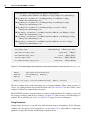
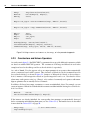
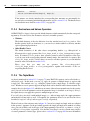
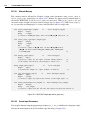
In principle, you could also use other GUI libraries instead of Windows Forms, e.g., Gtk#. Note, however, that HWindowControl is a Windows Forms element and thus can no longer be used. Instead, you
can open HALCON graphics windows directly with the operator OpenWindow. If you want to place
a graphics window inside another element, pass the element’s native window handle in the parameter
fatherWindow.
Please note that HALCON/.NET has not been tested with other GUI libraries.
17.4
Using HDevelop Programs
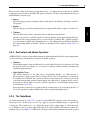
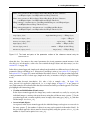
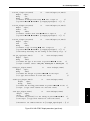
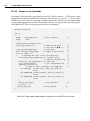
You can use HDevelop programs or procedures in two ways in your .NET application:
• by executing them directly via HDevEngine (see part VII on page 209 for detailed information) or
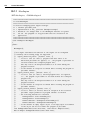
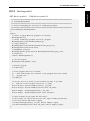
• by exporting them into C# or Visual Basic .NET code via the menu item File . Export (see the
HDevelop User’s Guide, section 6.2.1.13 on page 60) and integrating the code in your application.
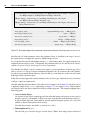
The latter method is described in this section.