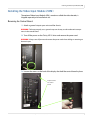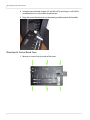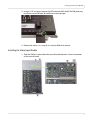
1
Installing the Big Picture Key
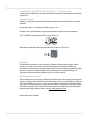
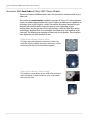
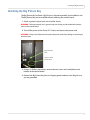
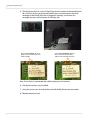
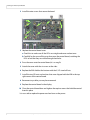
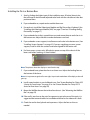
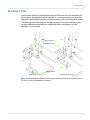
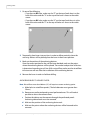
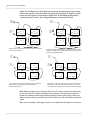
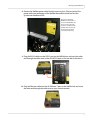
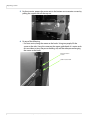
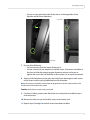
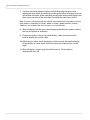
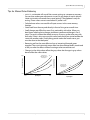
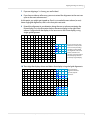
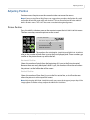
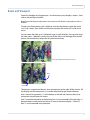
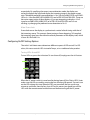
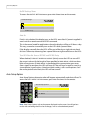
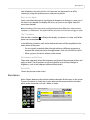
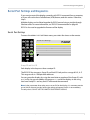
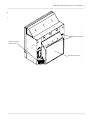
5 The Big Picture Key has six pins. Plug the key into the socket on the control board.
Be sure all six (6) pins go in correctly and the key is positioned over the white
rectangle on the board. If the key is plugged in correctly, it will cover this
rectangle and most of the battery on the right side.
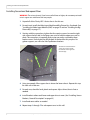
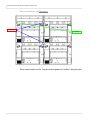
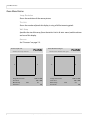
Key installed correctly. Notice it
mostly covers the battery and the
white rectangle.
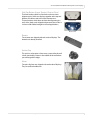
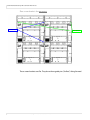
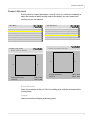
Key installed incorrectly. Notice it
does not fully cover the battery
and the white rectangle at the top.
Note: If row of pins is connected, the whole display may not function.
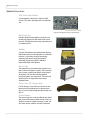
6 The Big Picture Key is now installed.
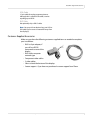
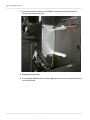
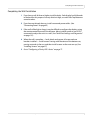
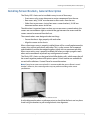
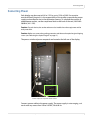
7 Using the screws you set aside earlier, reinstall the Big Picture Key cover plate.
8 Replace the power cord.
18
Clarity LED 3 Series Installation Guide