1
Indicator Operations
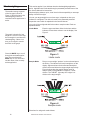
Press the MODE key to scroll
through the activated applications. Press and hold the
MODE key for 3-5 seconds to
see the name of the currently
active application.
PLU Channels
This indicator has an 11
channel PLU (Product Look
Up) memory. To access a
memory channel, press a
number from 0 to 10, then
press the F1 key.
The E1070 comes equipped with several weighing applications;
• Accumulator weighing (default setting)
• Batch weighing
• Checkweighing
• Counting
• Peak weighing
These different applications are activated using a password protected
Service menu. See the Service Manual for instructions on changing applications.
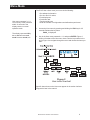
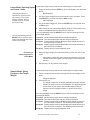
This indicator has an 11 channel PLU (Product Look Up) memory. To
access a memory channel, key in a number from 0 to 10, then press the F1
key. The following information, if present, becomes active:
Channel #
ID #
Gross Accum.
Net Accum.
Count Accum.
Total
Tare Value
Lower Limit
Upper Limit
Piece Weight
Cutoff Wt1
Cutoff Wt2
Cutoff Wt3
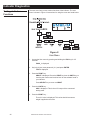
The accumulator application comes as the default application. You can do
gross weighments, tare/net weighments and accumulator functions. Below
are instructions for each.
Gross Weighing
To perform gross weighing, power up the unit and follow these steps:
1. Empty the scale and press ZERO key to zero the display. . .
0 is displayed.
To change unit of measure,
press the UNITS key.
2. Place item to be weighed on the scale. . .
Weight is displayed.
Tare/Net Weighing
To perform a net weighment, power up the unit and follow these steps:
1. Empty the scale and press ZERO key to zero the display. . .
0 is displayed.
2. Place item to be tared on the scale. . .
Weight is displayed.
3. Press the TARE key. . .
0 is displayed and the NET annunciator lights.
4. Place material to be weighed on the scale. . .
To clear a tare weight, remove
all weight from the scale and
press the TARE key.
10
Net weight of material is displayed.
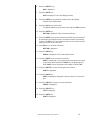
5. Repeatedly press the SELECT key to scroll through gross, tare, and net
modes. Remove the weight from the scale and press TARE to return to
gross mode.
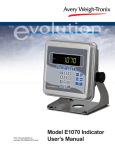
Model E1070 Indicator User’s Manual