1
Backing up and restoring your data with the VAIO
software
GB
You can also make a backup copy of your data with the Rescue Data software and restore
the rescued data with the VAIO Data Restore Tool software.
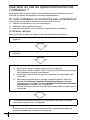
To back up your data with Rescue Data
The Rescue Data software enables you to rescue (back up) your data on the hard disk
even when you cannot start Windows.
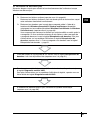
There are two options to rescue your files.
❑
Normal data rescue
Saves all the files which you can rescue on the hard disk to an external hard disk drive.
❑
Custom data rescue
Saves files which you specified to an external hard disk drive, removal media, or an
optical disc (CD, DVD, etc.).
Notes on using Rescue Data
❑
Handle rescued files with care to protect from unauthorized access.
❑
Keep recovery discs in a secure place to protect from unauthorized copying of your
data on the hard disk because the Rescue Data software can be launched from the
recovery discs.
❑
Rescued files which are not encrypted on the hard disk can be easily accessed by
unauthorized users using recovery discs.
To protect rescued files from unauthorized access, set the power-on or hard disk
password or use the Windows hard disk drive encryption feature.
❑
Using the Rescue Data software does not guarantee to make backup copies of all data
on your hard disk. Sony assumes no liabilities for any loss of your data arising out of
the backup process.
❑
Disable the Windows hard disk drive encryption feature before using the Rescue Data
software.
❑
Be sure to use the AC adapter to power your computer when using the Rescue Data
software.
11