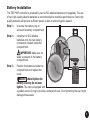
1
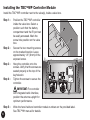
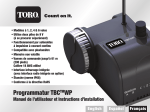
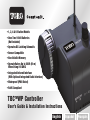
Installing the TBCTMWP Controller Module
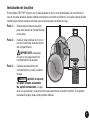
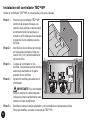
Install the TBCTMWP controller next to the valve(s), inside a valve box.
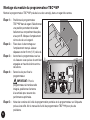
Step 1 –
Step 2 –
Step 3 –
Step 4 –
Position the TBCTMWP controller
inside the valve box. Select a
position such that the battery
compartment and the IR port can
be easily accessed. Mark the
screw hole position on the valve
box.
Secure the two mounting screws
on the marked location. Leave
approximately 1/4" (6mm) of the
exposed screw.
Hang the controller onto the
screws. Verify that the screws are
seated properly at the top of the
keyhole slot.
Tighten the screws to secure the
controller.
TBCWP
IMPORTANT: For controller
with integrated radio interface,
position the antenna upright for
optimum performance.
Step 5 –
Write the hand-held and controller module numbers on the provided label.
See TBCTMHH manual for details.