1
PROGRAMMING
Before starting to configure the interface, check that the remote control unit and the
RF devices are all powered up (the remote control unit does not have to be configured
at this stage).
Combining actuators
To combine an actuator to the interface (or a group of actuators that respond to the same
command), proceed as follows:
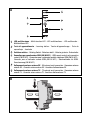
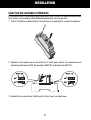
1. Turn the rotating switch on the interface to one of the position from 1 to 5.
2. Place the actuator in learning mode.
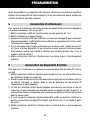
3. Press the front button on the interface: a RF message will be sent which the relative
actuator will then learn. The multi-function LED will flash green once. Exit the actuator
learning mode.
4. If you wish to memorise other actuators on the same channel, repeat points 2 and 3
for each of the devices. If you wish to combine other groups of actuators, first turn the
switch to another position (from 1 to 5) and repeat the instructions from point 2
onwards.
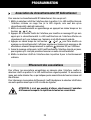
5. Turn the rotating switch on the interface to position 8 for standard operations.
Combining input devices
To combine one or more RF input device channels to the interface, proceed as follows:
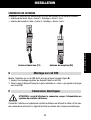
1. Turn the rotating switch on the interface to position 6 or 7. The multi-function LED on
the interface will indicate a red fixed light.
2. Activate the transmission channel you wish to memorise by pressing the relative
button (or by making the sensor intervene, if it is a wireless twilight IR movement
detector).
3. The interface LED will go off. After a few seconds it will come on again: if there is a
fixed red light it is possible to learn a new input, repeating the procedure from point
2; if there is a flashing yellow light the memory is full (4 inputs memorised on the
same channel).
4. If it is necessary to combine other devices, turn the switch to the position which is still
free for the input devices (6 or 7) and repeat the procedure from point 2.
5. Turn the rotating switch on the interface to position 8 to return to standard
operating mode.
22