1
NQuIRE
Data Entry System User Manual
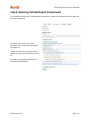
Step 3: Entering Your Implementation Site Information
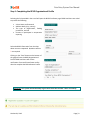
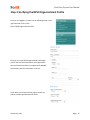
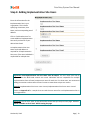
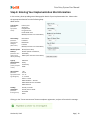
In this section, please provide general demographic details of your Implementation Site. Please make
the appropriate selection from the following dropdown menus:
Type of Care:
(Select the
appropriate
sector)
Care Setting:
(Select the
predominant
setting for
patient care)
Method of Care
Delivery:
(Select the main
health service
delivery modality)
Type of
Patient/Client:
(Select the
primary recipient
of care)
Primary Care
Acute Care
Complex Care
Long-Term Care
Home Health Care
Mixed (more than one of the above)
Out-Patient
In-Patient
Residential
In-Home
Mixed (more than one of the above)
Direct (face-to-face)
Remote (virtual consultation,
telehealth)
Mixed (more than one of the above)
Individual
Family
Community
Public
Age of Client:
(Select the
appropriate client
age categories)
Funding
Jurisdiction:
(Select the
funding source)
> 65
18 - 65
13 – 17
2 – 11 Years
Infant < 2 Years
Mixed Pediatric < 18 Years
Mixed Adult 18 Years and Older
Mixed General
Private, For-Profit
Private, Not-For-Profit
Charitable
Other
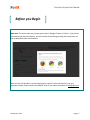
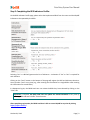
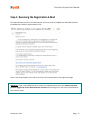
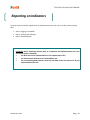
Clicking on the “Create new account” button completes registration, and you will receive this message:
October 01, 2012
Page | 19