1
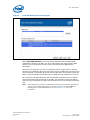
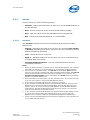
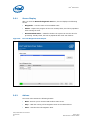
Intel SSD Toolbox 3.4.2.8 E8 – Available Reserved Space This attribute reports the number of reserve blocks remaining. The attribute value begins at 100 (64h), which indicates that the reserved space is 100 percent available. The threshold value for this attribute is 10 percent availability, which indicates that the drive is close to its end of life. Use the Normalized value for this attribute. 3.4.2.9 E9 – Media Wearout Indicator This attribute reports the number of cycles the NAND media has experienced. The normalized value declines linearly from 100 to 1 as the average erase cycle count increases from 0 to the maximum rated cycles. Once the normalized value reaches 1, the number does not decrease, although it is likely that significant additional wear can be put on the device. Use the Normalized value for this attribute. 3.4.2.10 B8 – End to End Error Detection Count This attribute is only available for 34nm, G2 drives and counts the number of times errors are encountered during logical block addressing (LBA) tag checks on the data path within the drive. Use the Normalized value for this attribute. 3.4.3 Actions The screen also contains the following buttons: Export – Writes the drive information and SMART data to a .csv file on your system. Back – Returns you to the Intel SSD Toolbox main screen. Refresh – Reloads the SMART data for the selected drive. March 2010 Order Number: 320316-002US Intel® Solid-State Drive Toolbox Users Guide 33