1
•
•
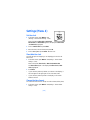
Automatic answer - Calls are answered automatically after 1 ring
when a car kit is connected. Scroll to On or Off and press Select.
Lights - Choose to keep the phone lights always on, or to shut off
automatically after several seconds. Scroll to On or Automatic and
press Select.
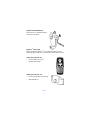
IF YOU SELECTED LOOPSET
The following options are available. Scroll to the option of your choice and
press Select to enter the option’s submenu and modify its settings.
•
•
•
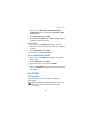
Use loopset - Enable use of the LPS-4 mobile inductive loopset. Scroll
to Yes or No and press Select.
Default profile - Choose the profile you wish to be automatically
activated when a loopset is connected.
Automatic answer - Calls are answered automatically after 1 ring
when a loopset is connected. Scroll to On or Off and press Select.
Security settings
For information on PIN code request, Call restrictions, Fixed dialing, and
other security features, see “Manage phone security” on page 38.
Restore factory settings
You can reset some of the menu settings to their original values.
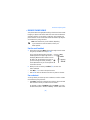
1
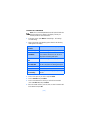
At the Start screen, press Menu 4-8 (Settings - Restore
factory settings). After a brief pause, you’re prompted to enter the
security code.
2
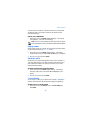
Enter the security code (the default is 12345) and press OK. A
message appears in the display confirming your original settings have
been restored.
Note: Any data that you have entered, such as names and numbers
in your Phone book will not be deleted.
[ 100 ]