1
PICkitTM 2 MCU Programmer User’s Guide
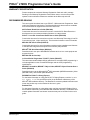
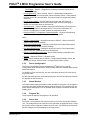
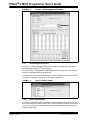
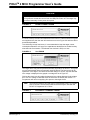
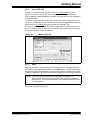
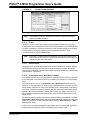
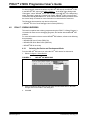
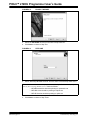
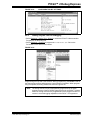
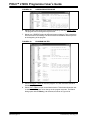
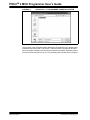
FIGURE 2-9:
WRITE SUCCESSFUL STATUS
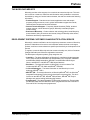
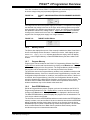
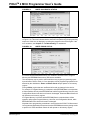
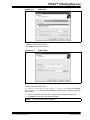
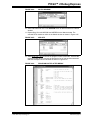
If the write fails, the status bar turns red and displays “Programming Failed”, as shown
in Figure 2-10. This error indicates that the data was corrupted during the programming
sequence. If this error is displayed, try writing the program to the device again. If the
error continues, see Chapter 5. “Troubleshooting” for assistance.
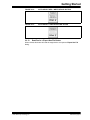
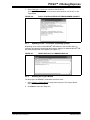
FIGURE 2-10:
WRITE ERROR STATUS
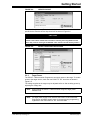
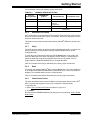
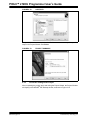
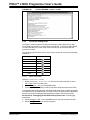
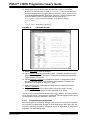
If a device has EEPROM data memory, the “Enabled” checkbox next to Program
Memory and EEPROM Data memory will become available.
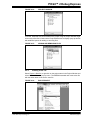
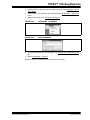
The checkboxes may be used to select which memory regions programming operations will affect. Refer to Table 2-1 for a description of how programming operations are
affected by the checkboxes. Erase and Blank Check always operate on all memory
regions.
During a Write, regions that are unaffected will remain unchanged in the device.
For example, if Program Memory is unchecked, while EEPROM Data is checked then
a Write operation will only write EEPROM Data, while Program Memory, User IDs, and
Configuration Words in the device will remain unchanged. Erase and Blank Check will
still operate on all memory regions.
If Program Memory is checked, while EEPROM Data is unchecked then a Write
operation will program Program Memory, User IDs, and Configuration Words, while
EEPROM Data in the device will remain unchanged.
Note that due to programming constraints in some devices the PICkit™ 2 Microcontroller Programmer Application will read and re-write EEPROM data memory during a write
to preserve it. Erase and Blank Check will still operate on all memory regions.
DS51553C-page 20
© 2007 Microchip Technology Inc.