1
PICkit™ 2 MCU Programmer User’s Guide
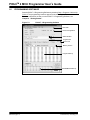
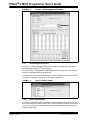
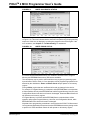
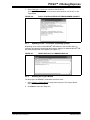
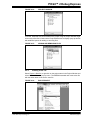
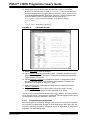
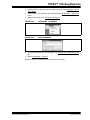
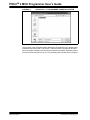
FIGURE 4-17:
4.2.7
OUTPUT WINDOW
Setting Debug Options
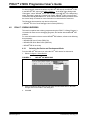
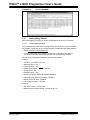
Before debugging can begin, the device Configuration bits need to be selected.
4.2.7.1
CONFIGURATION BITS
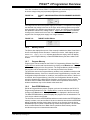
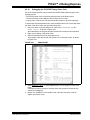
The Configuration bits that are to be programmed into the device are set from within
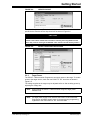
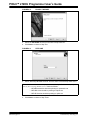
the program. These bits can be verified using the Configuration Bits dialog window.
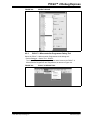
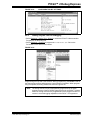
• Select Configure > Configuration Bits.
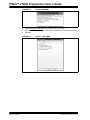
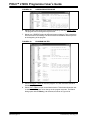
• To change the setting for a category, double click on the text in the “Setting”
column and select the appropriate setting for the corresponding category.
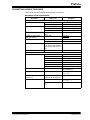
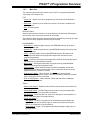
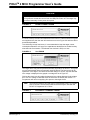
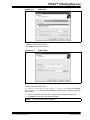
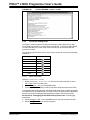
The following Configuration bits should be set for this tutorial:
Config1:
•
•
•
•
•
•
•
•
•
•
Oscillator – Internal RC No Clock
Watchdog Timer – Off
Power-Up Timer – On
Master Clear Enable – MCLR is external
Code-Protect – Off
Data EE Protect – Off
Brown-Out Detect – BOD and SBOREN Disabled
Internal-External Switch Over Mode – Disabled
Monitor Clock Fail-safe – Disabled
Low-Voltage Program – Disabled
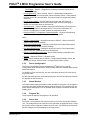
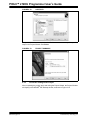
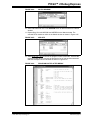
Config 2:
• Self Write Enable – No Protection
• Master Brown-out Reset Sel Bit – Brown-out at 2.1V
DS51553C-page 38
© 2007 Microchip Technology Inc.