1
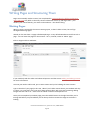
Setting posting and page options
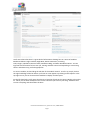
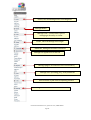
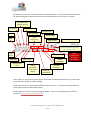
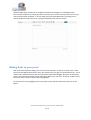
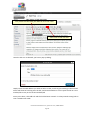
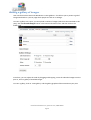
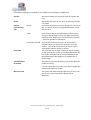
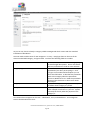
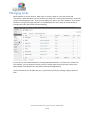
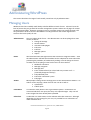
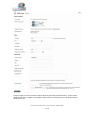
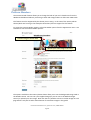
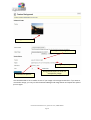
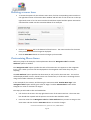
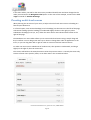
There is a large range of posting options that are available to you if you look around the writing
area and which give you finer control over how your content is presented. The order can change
according to user preferences – what’s important are the titles.
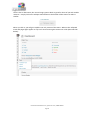
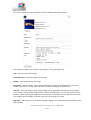
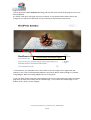
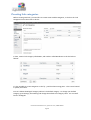
Excerpt
Use this to create a short introductory text (you can add
HTML if you desire) about your post. This is used by
some themes and plugins, as well as by your site’s RSS
feed.
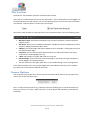
Send Trackbacks
Not often used these days, but this allows trackbacks to
be sent to a specific location. You can use it to notify
certain sites of your new post. Other WordPress blogs,
and sites that support a protocol called XML-RPC are
automatically informed if you happen to link to them.
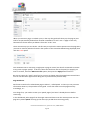
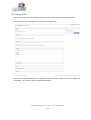
Custom Fields
Custom fields are used by certain themes and plugins.
Some will use these fields but you won’t ever have to
touch them, others will require you to input values.
Information on this should be included in your theme or
plugin instructions.
Top-of-the-range themes tend to add boxes for you to
tick but use custom fields – you may see values added
automatically. In some cases being able to edit these
values will give you finer control over your posting, or
allow you to fix problems that might come up.
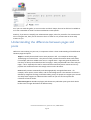
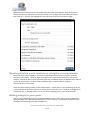
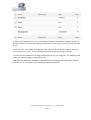
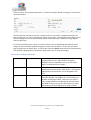
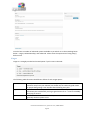
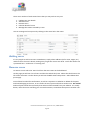
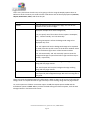
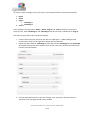
Discussion
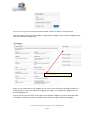
Allow Comments on If checked, allows a visitor to add comments to the
This Post
posting albeit according to rules defined in Settings |
Discussion
Allow Trackbacks
and Pingbacks on
this post
Comments
Author
This means that if someone links to the posting from
another website using similar software you will be
notified on the Dashboard page and the trackback may
show in the comments section if authorised.
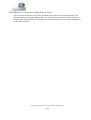
Since WordPress 2.9 you can view, reply to, moderate
and edit comments from the edit panel.
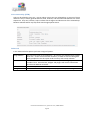
Allows you to set a
Post Author
If your site has multiple authors, you can change them
here if you have a suitable user rights – generally Editor
and above although this can change on some
configurations.
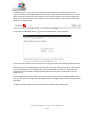
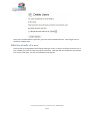
Revisions
You can revert to an old version of your post or page,
and can track the changes made to a post. This option
will not normally be visible when you are creating a new
post/page.
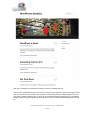
Roughly the same fields are available in Page writing, with some added and some removed. Some
themes and plugins may return some options – such as excerpts for pages which are used by some
themes.
User Guide for WordPress 3.4+ | speed-net.co.uk | 01832 280 032
Page 33