1
Automatic announcement selection
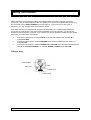
This feature (abbreviated for convenience to ‘auto-selection’) lets you set up your Multi-Announcer
so that the announcement heard by a caller on a given port depends on the time of day and/or day
of the week.
This overview explains the basic principles. It’s a good idea to read through it before you start,
making sure you understand the concept.
Recording the announcements before doing the auto-announcement sets-up help, as the currently
displayed announcement is played.
Automatic announcement selection is set-up using a week plan or date breaks or both, but you must
remember that date breaks will override your week plan. A separate auto-selection program (a week
plan and a set of date breaks) is provided for each port. If you require the same auto-selection
program on many ports, you may copy from one port to a range of others.
The principle works like this:
♦
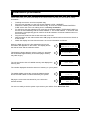
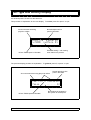
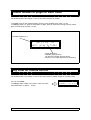
First, you select the port and then the days which you require your time breaks to apply by
pressing the number corresponding to the day of the week. You will notice that the initial
letter for the day changes to a dot when not selected. Once you have all the initial letters
showing for the days you want the following announcements/time breaks to apply, press
the # key.
♦
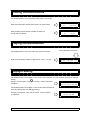
The time breaks, defining the announcements that will be played during a 24-hour period,
can now be applied to the group of days which you have just selected.
♦
You can have up to 7 different Day Groups, and within each one you can switch
announcements up to 80 times per day.
♦
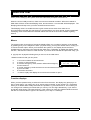
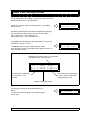
When you have set up your Week Plan, you then define Date Breaks. Date Breaks are
used to override the week plan for periods such as bank holidays. First select the port then
the time and date for the start of break then select the announcement you want to be
played for the period.
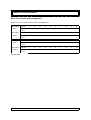
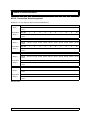
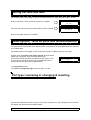
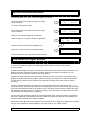
First you would set up the week plan for port 3 with two groups of days, one for Monday to Friday
Example
Suppose that you want a caller on port 3 to hear:
♦
♦
♦
♦
Announcement 10 during office hours Monday to Friday.
Announcement 4 during the lunch hour.
Announcement 12 during the evenings and at week-ends.
Announcement 15 on Bank Holidays.
The recorded announcements could be:
♦
♦
♦
♦
Announcement 10 “All our engineers are busy at the moment please hold the line and you
will be connected as soon as one of them is free”.
Announcement 4 “ The office is closed for lunch please call again after 14:00 hours”.
Announcement 12 “The office is closed at the moment please call again when we are
open, our normal opening hours are 09:00 to 13:00 and 14:00 to 17:30 from Monday to Friday.”
Announcement 15 “The office is closed for the bank holiday please call again, we open
again on Tuesday from 09:00 until 13:00 and 14:00 until 17:30.”
AAS + TMOM version 10.21
23