1
MPX 1 User Guide
Lexicon
Setting the Input Mode
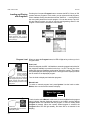
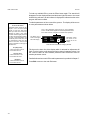
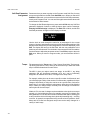
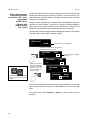
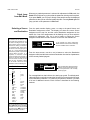
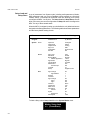
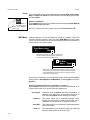
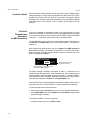
The MPX 1 can be set for stereo input, mono left input or mono right input. To
set the mode, press System, select Audio, then select Input Mode. If cables
are connected to both XLR and 1/4" connectors, the 1/4" inputs will override and
disable the XLR inputs. Selecting either Mono setting routes the selected audio
input channel (left or right) to both left and right DSP signal paths. (This is true
for both digital and analog inputs.)
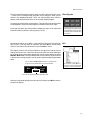
Using Soft Sat
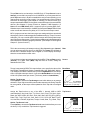
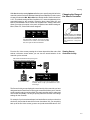
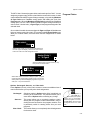
Soft Sat is a built-in analog limiter that precedes the A/D converters in the
MPX 1. If the source to the MPX 1 is “hot”, you can use Soft Sat to reduce the
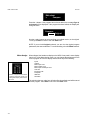
harshness caused by overloading the A/D converters. Press System, select the
Audio menu, then select Soft Sat to turn the limiter On or Off.
Setting Input Level
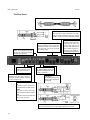
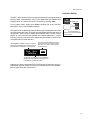
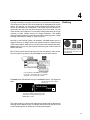
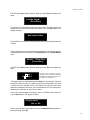
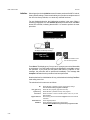
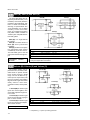
1. Set the rear panel Input button to the appropriate position for balanced or
unbalanced operation.
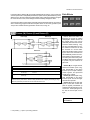
2. Press Edit and scroll to the Meters Assign parameter. Make sure that the
meter assignment is Input (the default setting).
3. Press System.
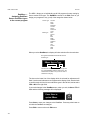
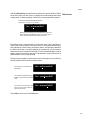
4. Select the Audio menu and scroll to the Input/Clck screen.
5. Select the desired input mode.
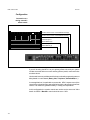
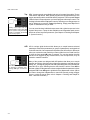
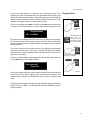
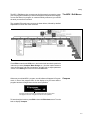
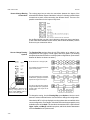
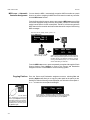
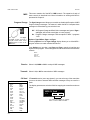
6. If you have selected Analog/Int or Analog/Ext, run audio through the unit
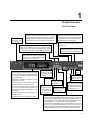
and adjust the front panel Input knob so that program material peaks cause
the headroom display to reach the top of the column without lighting the Clip
indicators. An occasional peak which momentarily lights the Clip indicators
is acceptable in most instances, but should be validated by listening to the
actual result. If the the 0dB headroom indicator illuminates frequently, you
may want to use the Soft Sat limiter to reduce overload of the A/D converters.
Press System, select the Audio menu, then select Soft Sat to turn the limiter
On or Off.
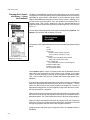
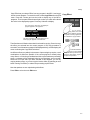
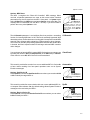
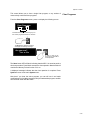
If you have selected Dig/Ext, scroll to the Audio Dig In Lvl screen and adjust
the level so that program material peaks cause the headroom display to
reach the top of the LED column without ever lighting the Clip indicators.
The meters are calibrated to light the Clip indicators at a level of > 0.1dBfs.
For digital inputs, a very brief flashing of the Clip indicators means that you
have reached, or are dangerously close to digital clipping.
1-6