1
• DockSymmCircle.py: rigid/flexible assembly of n monomers according
to a circular symmetry, possibly around a given receptor
• Function.py: generic function optimization
• flexibility.py: functions for Principal Components Analysis
• parse.py: performs just the postprocessing, without running PSO.
This is useful when POW has been already run, and just alternate
postprocessing options on the produced results have to be tried. Usage
goes as follow:
./parse.py module input_file [logfile]
• POW.py: main executable
• Protein.py: PDB parser
• PSO.py: parallel implementation of Particle Swarm Optimization
4
Launching
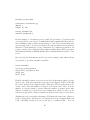
POW is launched in the console by means of the following command:
mpiexec -n 4 $INSTALLATION_PATH/POW module input.dat
It is advised to create an alias, in order to make POW execution easier. The
following lines create a default call using 4 processors:
export NPROC=4
alias pow="mpiexec -n $NPROC $POW_DIR/POW.py"’
An execution becomes now as simple as:
pow module input.dat
This call will launch POW on 4 processors. A proper execution requires the
user to provide two arguments to the call: the desired optimization module
module and a parameterization file input.dat. The parameterization file
describes with a series of keywords how POW should behave. The input file
providing all the parametrisations for the search should be passed as parameter. The file is structured as a serie of keywords (one per line) having one or
more corresponding values. Keywords are case sensitive, and their order is
irrelevant. Some keywords are necessary for any kind of optimization procedure (see section ), whereas other are module specific (see sections dedicated
to specific modules). The # symbol can be used to comment out lines in
parameterization file.
5