1
8.
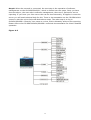
User Management Settings
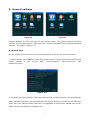
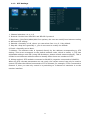
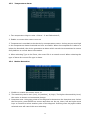
1. Password effective settings can be enabled and disabled as required.
2. Only administrators have permission to modify the passwords of users and administrators.
An ordinary users password is initially set as 000000 and the initial password for
administrator is 111111.
When the password is changed and saved, it will need to use a new password to login again.
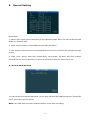
8.1 Network Settings
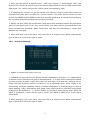
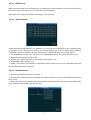
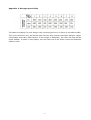
Figure 4-11
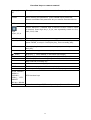
1. IP address, Netmask and Gateway etc are LAN network settings required after plugging
in the network cable. There is no need to input if you do not use them.
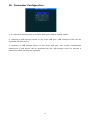
2. Server’s IP address is the SVC420GPS-L/SVC820GPS-L units host. It uses 3G to report to
the host server. This is the public fixed IP. The IP address must be set up or the 3G host
cannot report to the platform; the host must support 3G. This menu will not need any
settings if the host doesn’t support 3G.
3. Control Port: Set to be the port number of the gateway server, generally the default is set
to "6608" port.
38