1
C2-6104A OPERATION MANUAL
This is a feature only present in advanced units only. It greatly improves the
method of frame-rate conversion, by allowing the unit to merge frames together
during the process.
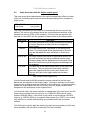
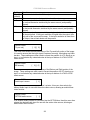
When ‘Off’, the unit will use frame-repetition when converting 50Hz to 60Hz (i.e. it
has to duplicate every 5th frame), or frame-dropping when converting 60Hz to 50Hz
(i.e. it has to drop every 6th frame). When ‘On’, smooth blending is applied so that
frames are not lost, but blended together at the appropriate times.
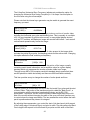
Adjust windows
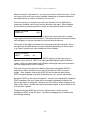
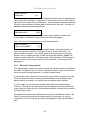
Flicker Reduction
[Low]
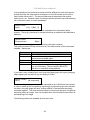
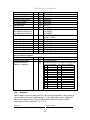
The Flicker Reduction menu item will only appear if you have selected a low
resolution interlaced output such as PAL or NTSC. If you are using CV or YC
outputs, this adjustment may be of interest, particularly when you have line
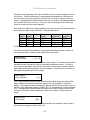
drawings or similar fine detail. You can choose from four possible Flicker Reduction
settings. You should use as little Flicker Reduction as possible because the Vertical
detail will be softened at the highest setting.
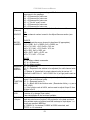
Flicker mode
Off
Low
Med.
High
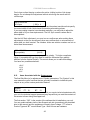
Adjust windows
Image smoothing
Function
Disables flicker reduction (sharpest mode).
Suitable for most input sources.
Enough for most situations such as thin line drawings
Highest amount of flicker reduction. Will cause loss of
vertical detail in some images.
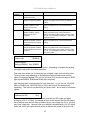
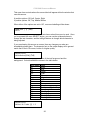
[Auto]
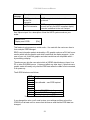
Image smoothing reduces the jagged-edges sometimes seen within an output
image by softening it. It typically improves the quality of a scaled image greatly.
There are four possible settings for this adjustment: “Off”, “Med.”, “High”, and
“Auto”. The “Auto” setting is generally thought to be most desirable and will vary the
smoothing process according to the amount of zoom taking place.
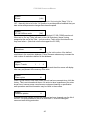
Adjust windows
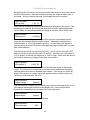
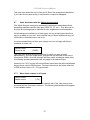
Image flip
[Off]
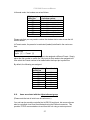
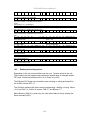
Occasionally, it’s necessary to cause the output image to be flipped Vertically,
Horizontally or both – most commonly when a video projector is ceiling-mounted, or
for special effects.
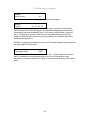
Adjust windows
Show source label
[On]
Units that support source labeling have this menu item available, which allows the
label to be turned on or off on a window-by-window basis.
19