1
3
Inside the MATLAB Web Server
matweb M-File
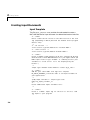
Looking again at the source from the webmagic1.html file (see “webmagic
Input” on page 2-5), observe that the line
<input type="hidden" name="mlmfile" value="webmagic">
sets argument mlmfile to the value webmagic. The mlmfile argument contains
the name of the MATLAB M-file to run.
matlabserver uses the value of mlmfile obtained from the matweb M-file,
matweb.m, (webmagic in this example) to run the MATLAB application.
webmagic takes the input data from webmagic1.html, computes the magic
square of the requested dimensions, and outputs the results using
webmagic2.html as a template.
Returning Results via the Web
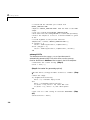
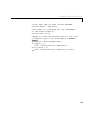
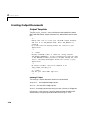
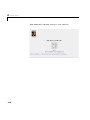
The MATLAB Web Server distribution kit contains the file webmagic2.html,
which serves as an example of an HTML output document template. The
webmagic function uses the htmlrep command to place the computed values
into the webmagic2.html output template using the code
str = htmlrep(s,'webmagic2.html');
In this example s is a MATLAB structure containing the results of the
webmagic magic squares computation. htmlrep extracts data from s and
replaces variable fields in webmagic2.html with the results of MATLAB
computation. The completed webmagic2.html form is transmitted to the user’s
browser.
3-10