1
Typographical Conventions
Typographical Conventions
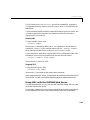
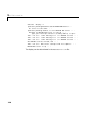
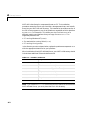
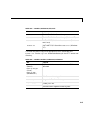
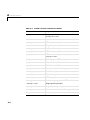
This manual uses some or all of these conventions.
Item
Convention Used
Example
Example code
Monospace font
To assign the value 5 to A,
enter
A = 5
Function names/syntax
Monospace font
The cos function finds the
cosine of each array element.
Syntax line example is
MLGetVar ML_var_name
Keys
Boldface with an initial capital
letter
Press the Return key.
Literal strings (in syntax
descriptions in reference
chapters)
Monospace bold for literals
f = freqspace(n,'whole')
Mathematical
expressions
Italics for variables
This vector represents the
polynomial
MATLAB output
Standard text font for functions,
operators, and constants
Monospace font
p = x2 + 2x + 3
MATLAB responds with
A =
5
Menu titles, menu items,
dialog boxes, and controls
Boldface with an initial capital
letter
Choose the File menu.
New terms
Italics
An array is an ordered
collection of information.
Omitted input arguments
(...) ellipsis denotes all of the
input/output arguments from
preceding syntaxes.
[c,ia,ib] = union(...)
String variables (from a
finite list)
Monospace italics
sysc = d2c(sysd,'method')
vii