1
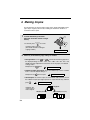
A Look at the Operation Panel
1
2
3
4
5
5
6
RESOLUTION/
RECEPTION
INK
7
8
9 10 11
Z
A
12
13
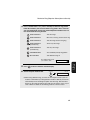
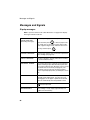
1
Display
This displays messages and prompts to help you operate the machine.
2
FLASH key
This key is used for Call Waiting and other special services that require
subscription from your phone company. Your phone company will provide you
with details on how to use the key.
3
RESOLUTION / RECEPTION key
When a document is in the feeder, press this key to adjust the resolution for
faxing or copying (page 37). At any other time, press this key to select the
reception mode (an arrow in the display will point to the currently selected
reception mode; page 28).
4
INK key
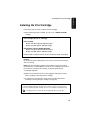
Press this key before installing or replacing the print cartridge to move the
print cartridge holder to the replacement position (page 16).
5
Arrow keys
Use these keys to scroll through and select settings, and to search for autodial numbers (page 44).
6
FUNCTION key
Press this key followed by the arrow keys to select special functions and
settings.
7