1
Note the following enhancements and restrictions to some of these functions:
• GPUArray usage now supports all data types supported by MATLAB, except int64
and uint64.
• For the list of functions that bsxfun supports, see the bsxfun reference page.
• The full range of syntax is now supported for fft, fft2, fftn, ifft, ifft2, and
ifftn.
• eig now supports all matrices, symmetric or not.
• issorted supports only vectors, not matrices.
• max and min can now return two output arguments, including an index vector.
• mldivide supports complex arrays. It also supports overdetermined matrices (with
more rows than columns), with no constraints on the second input.
• mrdivide supports underdetermined matrices (more columns than rows) as the
second input argument.
• norm now supports the form norm(X,2), where X is a matrix.
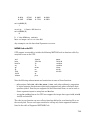
The following functions are not methods of the GPUArray class, but they do work with
GPUArray data:
angle
fliplr
flipud
flipdim
fftshift
ifftshift
kron
mean
perms
rank
squeeze
rot90
trace
Reset or Deselect GPU Device
Resetting a GPU device clears your GPUArray and CUDAKernel data from the device.
There are two ways to reset a GPU device, while still keeping it as the currently selected
device. You can use the reset function, or you can use gpuDevice(idx) with the current
device’s index for idx. For example, use reset:
idx = 1
g = gpuDevice(idx)
reset(g)
Alternatively, call gpuDevice again with the same index argument:
idx = 1
7-11