1
Wireless-N PCI Adapter Quick Installation Guide
4 Driver and Hardware Installation
4.1 Driver installation of the Wireless-N PCI Adapter
Turn on the computer and Insert the Wireless-N PCI Adapter Driver CD in the CD-ROM
drive. The Install Screen will appear. If not, click the Start button and choose Run and enter
D:\autorun.exe (if ‘D’ is the letter of your CD-ROM drive)
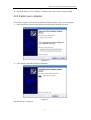
Select Drivers, choose the modem of your product and operate according to the instruction.
The following is the step-by-step instructions in Windows XP. The steps and screens are
similar for the other Windows operating systems
Ø
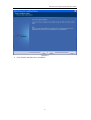
Select “I accept the tems of the license agreement” and then click Next
Figure 4-1
Ø
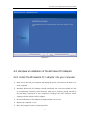
Select “Install driver and Ralink WLAN Utility” and Click Next
3