1
Chapter 2
Selecting Output Interface
Keyboard Wedge
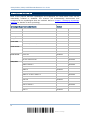
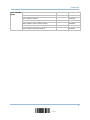
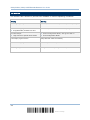
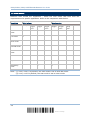
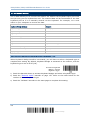
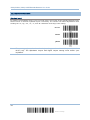
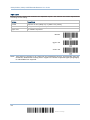
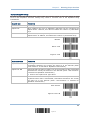
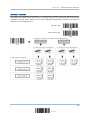
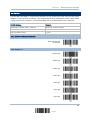
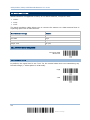
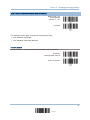
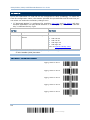
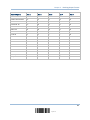
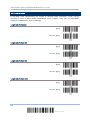
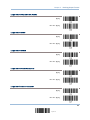
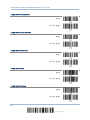
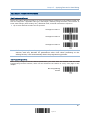
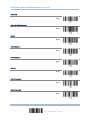
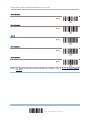
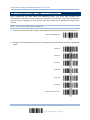
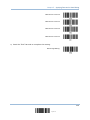
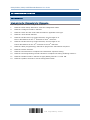
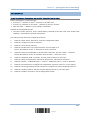
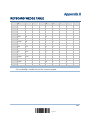
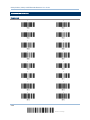
By default, the keyboard type is set to PCAT (US). The following keyboard types are supported —
No.
Keyboard Type
No.
Keyboard Type
1
PCAT (US)
15
PS55 001-81
2
PCAT (French)
16
PS55 001-2
3
PCAT (German)
17
PS55 001-82
4
PCAT (Italian)
18
PS55 001-3
5
PCAT (Swedish)
19
PS55 001-8A
6
PCAT (Norwegian)
20
PS55 002-1, 003-1
7
PCAT (UK)
21
PS55 002-81, 003-81
8
PCAT (Belgium)
22
PS55 002-2, 003-2
9
PCAT (Spanish)
23
PS55 002-82, 003-82
10
PCAT (Portuguese)
24
PS55 002-3, 003-3
11
PS55 A01-1
25
PS55 002-8A, 003-8A
12
PS55 A01-2 (Japanese)
26
IBM 3477 Type 4 (Japanese)
13
PS55 A01-3
27
PS2-30
14
PS55 001-1
28
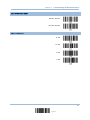
IBM 34XX/319X, Memorex Telex 122 Keys
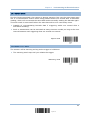
29
Update