1
Unit 3: Installation
UNIVERSAL SERIAL BUS (USB)
The Universal Serial Bus (USB) interface is a Plug-In Interface Module that can be installed by the user. It requires
a driver (shipped with each printer that has the interface installed) that must be loaded onto the PC and configured
to support USB peripherals using Windows 2000 or above. Details for loading the USB driver are contained in the
USB Interface Manual that is shipped with each printer with a USB Optional interface installed. Up to 127 devices
may be connected to a USB port using powered hubs.
ATTENTION: This Interface Type Is Not Compatible With Windows 98 Or Windows
Me.
SPECIFICATIONS
Printer Connector
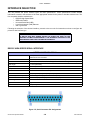
USB Type B Plug
Cable
10 feet (3 m) maximum
Host
Windows 2000 or above with USB Port
Power Supply
BUS Power through cable
Power Consumption
+5 V at 80 ma
LOCAL AREA NETWORK (LAN) ETHERNET
A Local Area Network (LAN) interface is an optional Plug-In Interface Module that can be installed by the user. It
requires a driver shipped with each printer that has the interface installed. The driver that must be loaded onto the
host computer and configured to run one of the supported network protocols using a 10Base-T or 100Base-TX
LAN connection. Details for loading the LAN driver are contained in the LAN Interface Manual that is shipped with
each printer with a LAN Optional interface installed.
SOFTWARE SPECIFICATIONS
Corresponding Protocol
TCP/IP
Network Layer
ARP, RARP, IP, ICMP
Session Layer
TCP, UDP
Application Layer
LPD, FTP, TELNET, BOOTP, DHCP
NOTE: Print data can be sent by LPR and FTP of TCP/IP and dedicated socket protocol. Printer status is obtainable by
dedicated socket protocol.
NOTE: In the TCP/IP protocol enviroment, LPD and FTP are provided for printing; TELNET for variable setup; ARP, RARP,
and BOOTP/DHCP for address setup.
LPD protocol complies with RFC1179 and handles the list of logical printer name as queue name such as lp, sjis, euc. In
addition, a banner page can be printed by a proper setup.
When sending the job by LPR, the transmission order of data file/control file within the job will not affect print operation. In
addition, if the banner page is specified, it will be added to each data file. Job deletion by LPR is not available.
FTP protocol complies with RFC959 and handles the list of logical printer name as a transfer directory. File transfer to this
directory executes print operation. It is possible to specify ASCII(A), Binary(I) and TENEX(L8) as transfer mode - although the
mode difference is dependent on the client. A banner page may be printed with a proper setup.
TELNET Complies with RFC854. This operation consists of interactive menu form and enables change and reference of
internal setup, and to display status. To change the setup, enter “root” user and password at the time of login. Default of root
pasword is set as null (linefeed only).
GL408-412e Operator Manual
3-11
PN: 9001163A