1
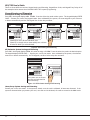
Accessing Keypad Diagnostics
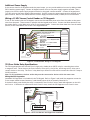
If necessary, refer to Access the User Menu on the previous page.
KPD KPD
OPT DIAG
STOP
Keypad Diagnostics (KPD DIAG)
The Keypad Diagnostic option allows you to check the display segments, check the
keyboard backlighting, and test individual keys.
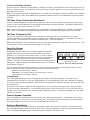
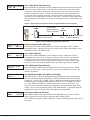
Press the Select key under KPD DIAG. The keypad lights all display segments and
illuminates the keyboard in green. A few seconds later the keypad turns the display off
and illuminates the keyboard in red. The keypad then alternates between these two
states for approximately two minutes. Press CMD at any time to continue.
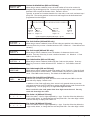
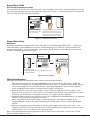
PRESS KEY TO
TEST
Test Individual Keys
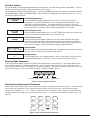
The display changes to PRESS KEY TO TEST. This option allows you to test each key on
the keyboard to ensure it is operating properly. Press and hold each key for about two
seconds. The key number being held appears in the display. Verify the correct number
displays before testing the next key.
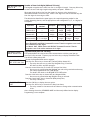
Z1 OPEN Z2 OPEN
Z3 OPEN Z4 OPEN
Zone Test (790/790F and 793 only)
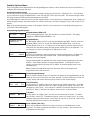
This option allows the keypads to display the current electrical status of the four
protection zones. The status is shown as OPEN, SHRT, or OKAY.
Note: The Zone Test displays on 690, 690F, and 693 keypads, but is not operational.
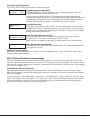
INPUT WIEGAND
Input Wiegand (693 and 793 only)
This option tests the reader input from proximity cards. The display shows OKAY each
time a good card is read.
Exiting the Installer Options
When done, press the CMD key once to return to the Installer Options screen. Press the Select key under STOP to
exit the Installer Options function.
693/793 Keypad Additional Programming
The 693/793 keypads allow users to present a proximity credential to an access control reader that in turn sends
their user code to the keypad. Users can also manually enter their user code into the keypad. The keypad reads the
user code and verifies its authority with the panel. Additionally the 793 activates its on-board Form C relay releasing
a door strike or magnetic lock.
Programming Cards into the System
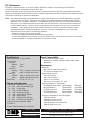
The programming feature operates on 693/793 keypads only. Access the User Menu in one of two ways. When
MENU? NO YES displays, choose YES and present your proximity credential to the reader or manually enter your user
code into the keypad.
From the User Menu, select USER CODES?. Choose ADD. At the ENTER CODE: - display, present the credential to the
reader. The keypad works by reading the 4, 5, or 6-digit user code from the data sent by the access control reader.
For more information, refer to Entry Cards in the programming section of this document and the following User’s
Guide section on adding, deleting, and changing user codes.
690/690F/790/790F/693/793 Installation Guide
Digital Monitoring Products
9