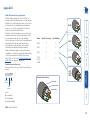
1
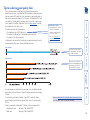
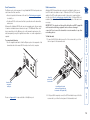
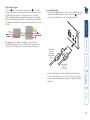
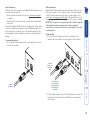
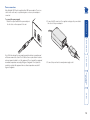
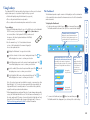
The AdderLink XD522 receiver provides four USB sockets on its front face: The fourth socket is labeled and delivers Hi-Speed USB providing that: • One of the host computer’s USB sockets is connected to the Link B socket on the AdderLink XD522 transmitter and supports USB v2.0, and • The second CATx link (B) is in place. From USB device For Hi-Speed USB peripherals, such as mass storage devices, use socket Note: Low/full speed USB devices can be used on port B; the transfer speed will be automatically reduced to support them. These three sockets are all labeled and provide True Emulation ports for low/ full speed USB keyboards and mice only. These are also suitable for providing power to 3rd party DisplayPort adaptors. To connect the USB ports 1 Connect the cable from your USB device to one of the vacant USB sockets on the receiver front panel. USB connections 15