1
Assembler directives
DESCRIPTIONS
Beginning an absolute segment
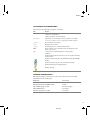
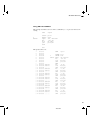
Use ASEG to set the absolute mode of assembly, which is the default at the beginning of
a module.
If the parameter is omitted, the start address of the first segment is 0, and subsequent
segments continue after the last address of the previous segment.
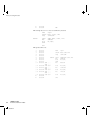
Beginning a named absolute segment
Use ASEGN to start a named absolute segment located at the address address.
This directive has the advantage of allowing you to specify the memory type of the
segment.
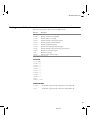
Beginning a relocatable segment
Use RSEG to start a new segment. The assembler maintains separate location counters
(initially set to zero) for all segments, which makes it possible to switch segments and
mode anytime without having to save the current program location counter.
Up to 65536 unique, relocatable segments can be defined in a single module.
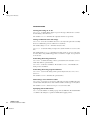
Beginning a common segment
Use COMMON to place data in memory at the same location as COMMON segments from
other modules that have the same name. In other words, all COMMON segments of the
same name start at the same location in memory and overlay each other.
Obviously, the COMMON segment type should not be used for overlaid executable code.
A typical application would be when you want several different routines to share a
reusable, common area of memory for data.
It can be practical to have the interrupt vector table in a COMMON segment, thereby
allowing access from several routines.
The final size of the COMMON segment is determined by the size of largest occurrence of
this segment. The location in memory is determined by the XLINK -Z command; see
the IAR Linker and Library Tools Reference Guide.
Use the align parameter in any of the above directives to align the segment start
address.
Setting the program location counter (PLC)
Use ORG to set the program location counter of the current segment to the value of an
expression. When ORG is used in an absolute segment (ASEG), the parameter expression
67
AV850-4