1
1 Instrument
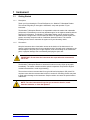
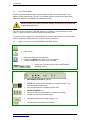
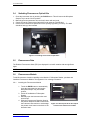
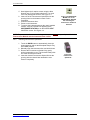
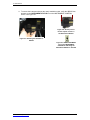
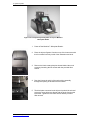
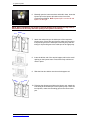
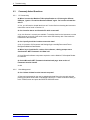
Opening the instrument door while the Microplate Sample Tray is in motion will cause it to stop.
When it is necessary to access the instrument interior, turn off the instrument. Manually hold the
instrument door open. Do not use the DOOR button. The Microplate Sample Plate Cover may be
in the way.
IMPORTANT: Close the instrument door immediately after each use!
1.6
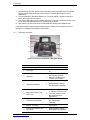
Viewing the Data in the RESULTS Screen
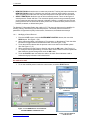
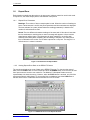
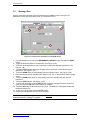
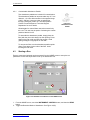
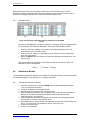
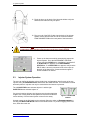
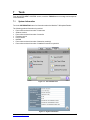
Figure 1-9: The RESULTS Screen
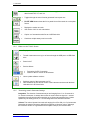
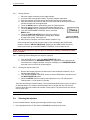
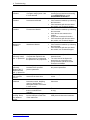
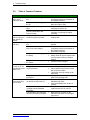
Touch the FILES button to see a list of results files. The files are sorted by the date and time run.
Select a file to view.
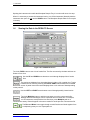
Use the UP and DOWN arrow buttons to scroll through displayed list of results
files.
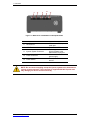
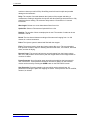
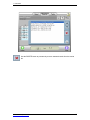
The results are displayed in a microplate format in either a full or partial view. Toggle
between the two views by touching the PLATE VIEW button between the horizontal
arrows. A partial view of the results displays three or six columns of data depending
on the protocol.
Use the LEFT and RIGHT arrow buttons to scroll through partially viewed results.
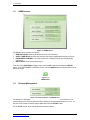
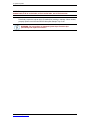
Touch the Multiplex button to add the next assay run to the current results file.
Multiple different technologies can be combined into one results file. For example,
run a Fluorescence assay with the blue filter then, press Multiplex and run a
Luminescence assay. Data will appear in the same results file as the previous Fluorescence file.
The Plus and Minus icons toggle through results files that are linked together from
a multiplexing assay run or a repeat plate run.
www.turnerbiosystems.com
14