1
MHDD Documentation
Very Low Level Hard Disk Diagnostic Tool
Dennis German
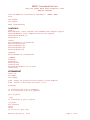
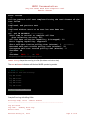
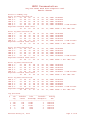
MAKELOG scans the surface of the drive and creates a detailed log file.
If you booted from the CD there will, most likely, be insufficient space for the log file on the RAM drive.
If the target drive is less than 10GB the log will fit on a floppy.
To create the log on a hard drive:
(this means there must be one with a FAT partition which you are willing and able to write to).
(Here's a use for those old < GB drives you have laying around.)
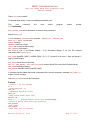
mkdir C:\MHDD or on another partition
COPY MHDD\*.* C:\MHDD to copy files from the RAM drive (or CD) to the hard drive
C:
CD C:\MHDD to that directory and start MHDD
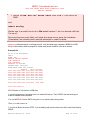
or use SCAN or [F4] and forget the logfile.
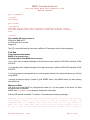
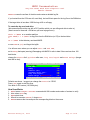
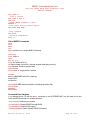
You will see menu where you can adjust Start and End LBA,
set to Remap bad spots (warning) Remapping with MHDD is safe to data if there are less then 100
bad blocks.
change the Timeout limit, Spindown after scan, loop test/repair and Erase Delays (danger
data will be lost).
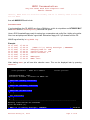
Scan Parameters: SPACE or ENTER to change
Start LBA:
0
End LBA :
12656477
Remap :
OFF
Timeout (sec) :
240
Spindown after scan :
OFF
Loop test/repair :
OFF
Erase Delays *DESTRUCTIVE* :
OFF
[A,D,S,W]-move; [CTRL+ENTER,F4]-finish
Defaults are shown. I suggest you change the Timeout to 5 DGG
Press [F4] again to start the scan .
One block is 255 sectors (130,560 bytes).
How Scan Works
1.
2.
3.
4.
5.
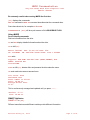
MHDD issues a VERIFY SECTORS command with LBA number and number of sectors to verify
drive raises BUSY flag
MHDD starts timer
After drive executes VERIFY, it drops BUSY
MHDD measures the time and puts the corresponding block on the screen
Revised January 10, 2009
Page 11 of 20