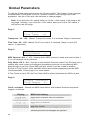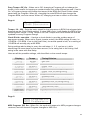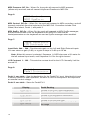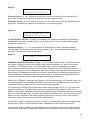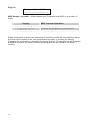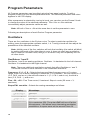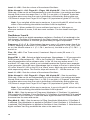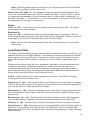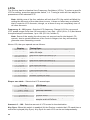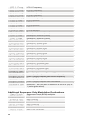
1
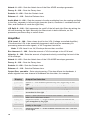
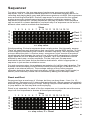
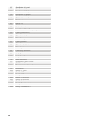
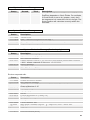
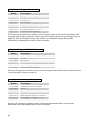
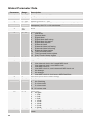
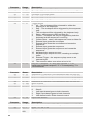
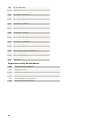
2 Steps
Delay is 2 steps in length
1 Step
Delay is 1 step in length
1/2 Step
Delay is one-half step in length
1/4 Step
Delay is one-quarter step in length
1/8 Step
Delay is one-eighth step in length
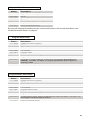
1/16Step
6 Steps
Delay is one-sixteenth step in
length
Delay is 6 steps in length
3 Steps
Delay is 3 steps in length
1/3 Step
Delay is one and a half steps in
length
Delay is two-thirds of a step in
length
Delay is one-third step in length
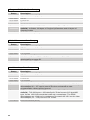
1/6 Step
Delay is one-sixth step in length
1.5 Step
2/3 Step
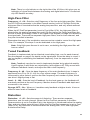
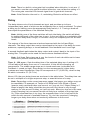
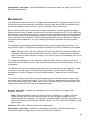
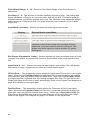
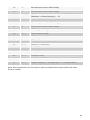
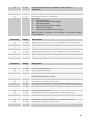
Amount: 0…100 – Sets the delay amount of the selected delay tap. The left and right
channels are mixed into a single delay.
Feedback 1: 0…100 – Sets the amount of feedback from the summed output of all
the delay taps to the input of the delay.
Feedback 2: 0…100 – Sets the amount of feedback from the summed output of all
the delay taps to the input of the filter for more extreme effects.
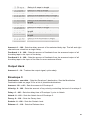
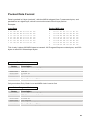
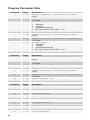
Output Hack
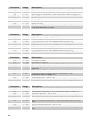
Amount: 0…14 – Trashes the output signal, quite rudely.
Envelope 3
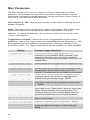
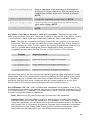
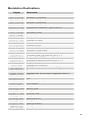
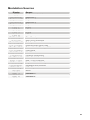
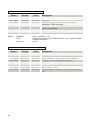
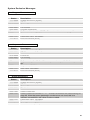
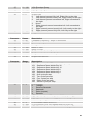
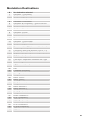
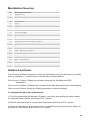
Destination: see table – Sets the Envelope 3 destination. See the Modulation
Destination table on page 33 for a list of possible destinations.
Amount: -99…+99 – Sets the amount of Envelope 3.
Velocity: 0…100 – Sets the amount of key velocity controlling the level of envelope 3.
Delay: 0…100 – Sets the delay time of Envelope 3, prior to Attack.
Attack: 0…110 – Sets the Attack time of Envelope 3.
Decay: 0…110 – Sets the Decay time.
Sustain: 0…100 – Sets the Sustain level.
Release: 0…110 – Sets the Release time.
21