1
Welcome…
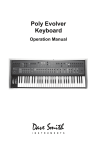
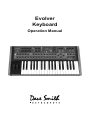
Thanks for purchasing the Evolver Keyboard! Listen to the sounds, twiddle some
knobs, have some fun!
Register
If you purchased directly from us, there is no need to register – we already have
your contact information. If you purchased it from a music dealer, please go to
www.davesmithinstruments.com and register.
Quick Start
Here’s how to quickly get started with your new keyboard:
First, plug in the power supply. The power supply will work anywhere in the
world; change the AC adapter if necessary. Next, plug the stereo audio outputs
into your mixer/sound system and switch on the power.
Start playing!
Try applying keyboard pressure (aftertouch) and the mod wheel. Many sounds
are fairly simple at first, but come alive when you use the controllers. With other
sounds, you may need to hold the notes a while to let the sound unfold. Playing
in different ways has a big effect on the Programs.
Selecting and Editing Programs, Combos, and Global Settings
To change Programs, you can use the +/- switches to step through the
Programs. Also, the PARAM 1 knob changes the Program number, and the
PARAM 2 knob changes the Bank.
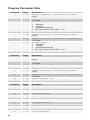
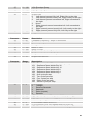
If you want to edit a Program, just turn any knob. The new value will be displayed
in the LCD. Once a parameter has been selected, the PARAM 2 knob will also
change the value, and the +/- switches will increment or decrement the value. Hit
the + and - switches at the same time to set the parameter to zero.
That’s the whole idea with this instrument – grabbing knobs and changing the
sound! After turning knobs, just hit the Program switch so the LCD goes back to
the Program / Bank screen, allowing you to change Programs again.
Your Evolver also has some very cool features for use as a stereo signal
processor – be sure to check this out.
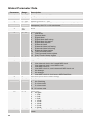
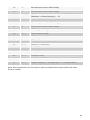
Press the GLOBAL switch to change higher level parameters, such as MIDI
channel number, Transpose/Detune, and so on. These are remembered when
the synth is turned off. Note that in Global Mode, the screen displays two
parameters at a time. The top parameter is changed by the PARAM 1 knob and
the lower parameter is edited by the PARAM 2 knob. The +/- switches select new
pages.
1