1
5
B. Racking a Field-Rackable Array
2.
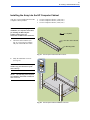
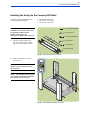
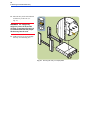
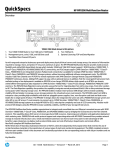
Study the installation overview
(see Fig. 11).
CAUTION! To ensure rack stability,
install arrays from the bottom of the
rack to the top.
NOTE: The following tools are
required for installation: flat-blade
screwdriver and T25 driver.
Fig. 11. HP Rack System/E Installation Overview
3.
The array and rail kit take 3 units of
space. Using the template provided,
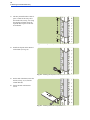
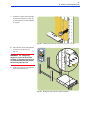
locate the required units of space on
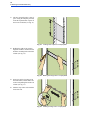
the four rack columns (see Fig. 12).
Fig. 12. Locating units of space in HP Rack System/E