1
Enhancing Your System (Continued)
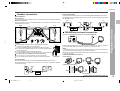
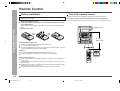
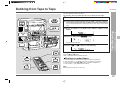
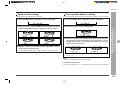
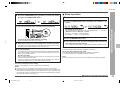
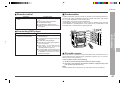
To record on a tape from DVD or VCR etc.
1
2
Load a cassette in the TAPE 2 cassette compartment.
Press the DVD/VCR button.
To select the unit connected to the DVD jack
Press the DVD/VCR button repeatedly to select “DVD”.
To select the unit connected to the VIDEO/AUX IN jack
CD-DD4500
1
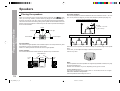
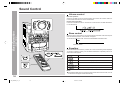
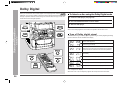
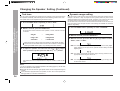
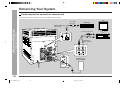
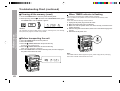
Using subwoofer speakers of other equipment
When a commercially available speaker with a built-in amplifier is connected to this
unit, you can enjoy sound with emphasized bass.
1
2
2
Connect an RCA cord from a commercially available speaker with
a built-in amplifier to the SUBWOOFER OUT jack.
3
Set the unit to “SW-EXT” in “Speaker size setting” (see page 31).
4
I6
Press the REC PAUSE I6 (I6
I6) button.
Press the 0/R ( 0 ) button.
Play the DVD, VCR etc.
Note:
A DVD player allows you to select the “PCM” or “DOLBY DIGITAL” audio output mode.
Before playing a Dolby digital sound disc, be sure to set the unit in the “DOLBY DIGITAL” mode. For more details, see the operation manual for your DVD player.
Note:
No sound is heard from the external subwoofer when in the Bypass/Virtual mode.
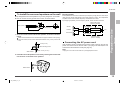
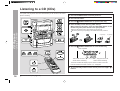
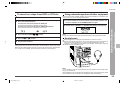
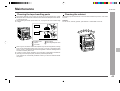
Headphones
Before plugging in or unplugging the headphones, reduce the volume.
Be sure your headphones have a 1/8" (3.5 mm) diameter plug and are between 16
ohms and 50 ohms impedance. The recommended impedance is 32 ohms.
Plugging in the headphones disconnects the speakers automatically. Adjust the
volume using the VOLUME control.
5
– Enhancing Your System –
3
4
5
Advanced Features
Press the DVD/VCR button repeatedly to select “VCR”.
6
7
8
9
10
11
12
13
14
Note:
15
It is not possible to use the Normal/Phantom or Dolby Digital surround modes when
using your headphones.
When headphones are connected to the headphones jack, the Normal/Phantom mode
will be canceled. (The unit will be set to the Bypass mode automatically.)
39
*CD_DD4500_P36_39
39
2001.4.19, 11:43 PM