1
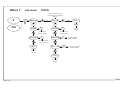
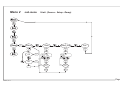
2.8 Date & Time
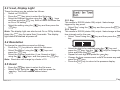
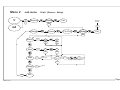
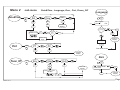
2.9 Language
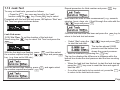
• Press the MENU key twice.
• Scroll to ‘Language’ using either arrow key and press
ENTER
key to select.
ZERO
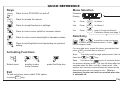
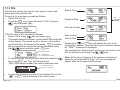
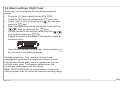
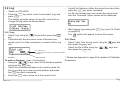
To select Date & Time proceed as follows:
• Switch on PC6-IDOS.
• Press the MENU key twice to select Set menu.
• Select 'Date & Time' option using the
key and
then press the ENTER
key.
ZERO
•
Note: To download different languages, see 3.2 on page 35.
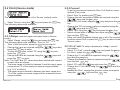
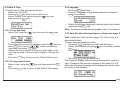
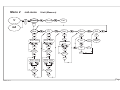
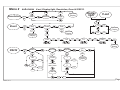
2.8.1 To set the time:
•
•
•
•
Select 'Set' using the
key, then press the
ENTER
ZERO
key.
Select the digit you want to change using the
key and
press ENTER
key. Use the
keys to change the
ZERO
value and then press ENTER
key.
ZERO
Repeat the above step to change the other digits to set
time and proceed to the next set of digits to change the
date.
Press the MENU key to return to the 'Date & Time' menu.
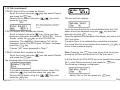
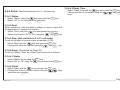
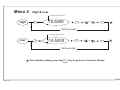
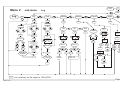
2.8.2 To view date & time:
ZERO
• Select 'View' using the
key and then press the ENTER
key.
• Press the MENU key to return to the Date & Time menu.
K0354, Iss. 1
Select the desired language from the options provided
ZERO
and press the ENTER
key.
2.10 Zero (for absolute transducers, please see page 31)
Note: Unlike the 'Tare' function (page 15), 'Zero' reset is a
permanent setting.
To reset pressure reading to zero:
• Press the MENU key twice to select the Set menu.
• Select ‘Zero’ option using the
key and then press the
ENTER
key.
ZERO
ZERO
• Press the ENTER
key as instructed.
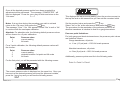
The Pressure Display will now show the pressure value as
zero. If however the pressure reading is not within 5% Full
Scale the following message will be displayed and the zero
reset will not be possible.
Page 30