1
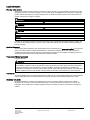
Glossary
HMI device
An HMI device is a device used for the operation and monitoring of machines and plants.
The machine or plant states are visualized on the HMI device by means of graphic objects or
signal lamps. The operator controls of the HMI device allow the operator to interact with the
processes of the machine or plant.
HMI device image
The HMI device image is a file that can be transferred from the configuration PC to the HMI
device. The HMI device image contains the operating system for the HMI device and the
elements of the runtime software required to run a project.
I/O field
An I/O field enables the input or output of values on the HMI device which are transferred to
the PLC.
Info text
An info text is a configured information on objects within a project. Info text for an alarm, for
example, may contain information on the cause of the fault and troubleshooting routines.
Object
An object is a project element such as a screen or an alarm. Objects are used to view or
enter texts and values on the HMI device.
Operating element
An operating element is a component of a project used to enter values and trigger functions.
A button, for example, is an operating element.
Plant
General term referring to machines, processing centers, systems, plants and processes
which are operated and monitored on an HMI device.
PLC job
A PLC job triggers a function for the PLC on the HMI device.
MP 277
Operating Instructions, 07/2014, A5E02479740-02
201