1
MEGA GO FLOOD BAR
RFC Operation
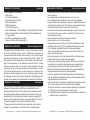
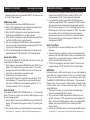
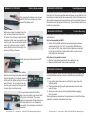
The ADJ RFC remote (sold seperately) has many different functions
and allows you to control your MEGA GO FLOOD BAR from long distance. The ADJ RFC remote can control your system up to 150 ft. To
use the remote you must first activate the fixtures receiver, to activate
the receiver please see the instructions on page 10.
BLACKOUT - Pressing this button will blackout the fixture. Press and
hold this button for 3 seconds to return to default settings and default
running mode.
AUTO RUN - This button will run 1 of 16 automatic programs. You
can scroll through the 16 programs using the “+” and “-” buttons. You
can control the speed of the programs by pressing the SPEED button
and then pressing the “+” and “-” buttons. You can control the fade
speed of the Auto Run by pressing the FLASH button and then pressing the “+” and “-” buttons.
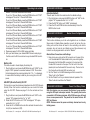
PROGRAM SELECTION - This button will activate the static color
mode. Use the “+” or “-” to scroll through the 35 colors. Once you
have found your color, you can press the Flash Button to activate
strobing and use the “+” or “-” to adjust the Flash rate.
FLASH - This button will activate the flash (strobe) effect. You can
control the flash speed by pressing the “+” and “-” buttons.
SPEED - Press this button and use the “+” & “-” buttons to adjust the
speed of the Auto run mode or adjust the sound sensitivity while in
Sound Active mode.
SOUND ACTIVE - This button activates sound active mode. Use the
“+” or “-” to scroll through the 15 sound active programs. Press the
SPEED button and use the “+” & “-” buttons to adjust the sound sensitivity.
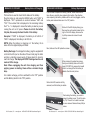
R G B - Press either one of these buttons and the press the “+” or “-”
to adjust the brightness. Press the Flash Button to activate strobing
and use the “+” or “-” to adjust the Flash rate.
“+” and “-” - Use these buttons to adjust the flash rate, speed of
the Auto Run mode, sound sensitivity, and the intensity output of the
RGB colors. These buttons are also used to scroll through the different static colors, auto run programs, and sound active programs.
ADJ Products, LLC - www.adj.com - MEGA GO FLOOD BAR User Manual Page 15
MEGA GO FLOOD BAR
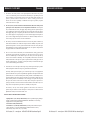
Channel
1
Value
0 - 10
11 - 17
18 - 24
25 - 31
32 - 38
39 - 45
46 - 52
53 - 59
60 - 66
67 - 73
74 - 80
81 - 87
88 - 94
95 - 101
102 - 108
109 - 115
116 - 122
123 - 129
130 - 136
137 - 143
144 - 150
151 - 157
158 - 164
165 - 171
172 - 178
179 - 185
186 - 192
193 - 199
200 - 206
207 - 213
214 - 220
221 - 227
228 - 234
235 - 241
242 - 248
249 - 255
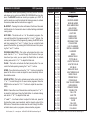
1 Channel Mode
Function
COLOR MACROS
OFF
BASTARD AMBER
MEDIUM AMBER
PALE AMBER GOLD
GALLO GOLD
GOLDEN AMBER
LIGHT RED
MEDIUM RED
MEDIUM PINK
BROADWAY PINK
FOLLIES PINK
LIGHT LAVENDER
SPECIAL LAVENDER
LAVENDER
INDIGO
HEMSLEY BLUE
TIPTON BLUE
LIGHT STEEL BLUE
LIGHT SKY BLUE
SKY BLUE
BRILLIANT BLUE
LIGHT GREEN BLUE
BRIGHT BLUE
PRIMARY BLUE
CONGO BLUE
PALE YELLOW GREEN
MOSS GREEN
PRIMARY GREEN
DOUBLE CTB
FULL CTB
HALF CTB
DARK BLUE
WHITE
FULL RED
FULL GREEN
FULL BLUE
ADJ Products, LLC - www.adj.com - MEGA GO FLOOD BAR User Manual Page 16