1
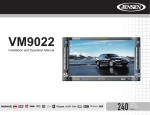
VM9725BT
Playlist Screen
The Playlist screen allows you to directly search for music on your disc.
• Touch a track title (if available) or track number to begin playback of that track.
• Touch the or icon to scroll up or down the page.
• Touch the Search icon to access the Disc Search Screen.
Disc Search Screen
Enter the desired track the on-screen number pad. If you wish to delete an entry
number touch the red X on the keypad. Press ok to play to the selected track.
To exit the screen without changing the station, touch the X in the upper right
corner.
45