1
4. Connect the AC adapter to fully charge the battery pack.
Checking the Battery Level
NOTE: Any battery level indication is an estimated result. The actual operating time can
be different from the estimated time, depending on how you are using the computer.
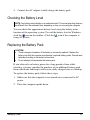
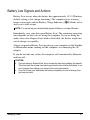
You can check the approximate battery level using the battery meter
function of the operating system. To read the battery level in Windows,
click the
icon on the taskbar. (Click the
icon if the computer is
using AC power.)
Replacing the Battery Pack
CAUTION:
There is danger of explosion if the battery is incorrectly replaced. Replace the
battery only with the computer manufacturer’s optional battery packs. Discard used
batteries according to the dealer’s instructions.
Do not attempt to disassemble the battery pack.
If you often rely on battery power for a long period of time while
traveling, you may consider the purchase of an additional battery pack
from your dealer and keep it with you in a fully charged state as a backup.
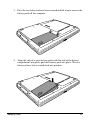
To replace the battery pack, follow these steps:
1. Make sure that the computer is not turned on or connected to AC
power.
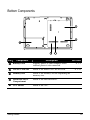
2. Place the computer upside down.
Managing Power
3-5