1
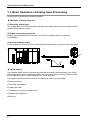
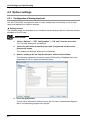
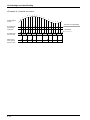
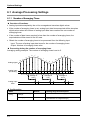
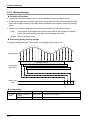
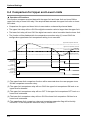
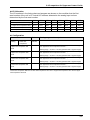
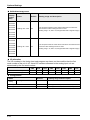
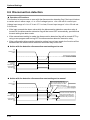
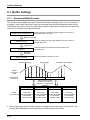
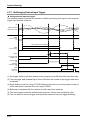
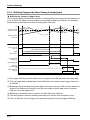
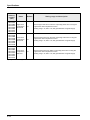
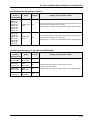
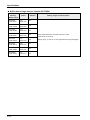
Optional Settings 6.1 Average Processing Settings 6.1.1 Number of Averaging Times Overview of functions • Analog input data sampled by the unit is averaged and stored as digital values. • If the number of averaging times is set, analog input data items acquired will be stored as digital values when the number of analog input data items reaches the set number of averaging times. • If the number of data items acquired is less than the number of averaging times, the acquired data will be stored in the I/O area. • Obtain the number of averaging times to be processed from the following input. Input: The sum of analog input data items for the number of averaging times Output: Number of averaging times value Processing during the number of averaging times Averaging setting example: The number of averaging times is set to 5. a b c e d f g h Analog signal i j k l m n o p q r Analog input processing Average of a to e Average of f to j Average of k to o Analog input data Configuration Name Function setting 6-2 Default Setting range and description Average processing settings Not execute Select “the number of averaging times.” Averaging constant K200 Number: 2 to 60,000 [times] (specified with an unsigned integer)